
20.3 Ubuntu/Debian/Kali Linux 兼容层
本节基于 debootstrap 和 WSL 在 FreeBSD 上构建 Ubuntu 22.04/26.04 LTS 兼容层,并附 Debian 13/Kali Linux 构建脚本。
视频教程:06-FreeBSD-Ubuntu 兼容层脚本使用说明
20.3.1 Ubuntu 兼容层
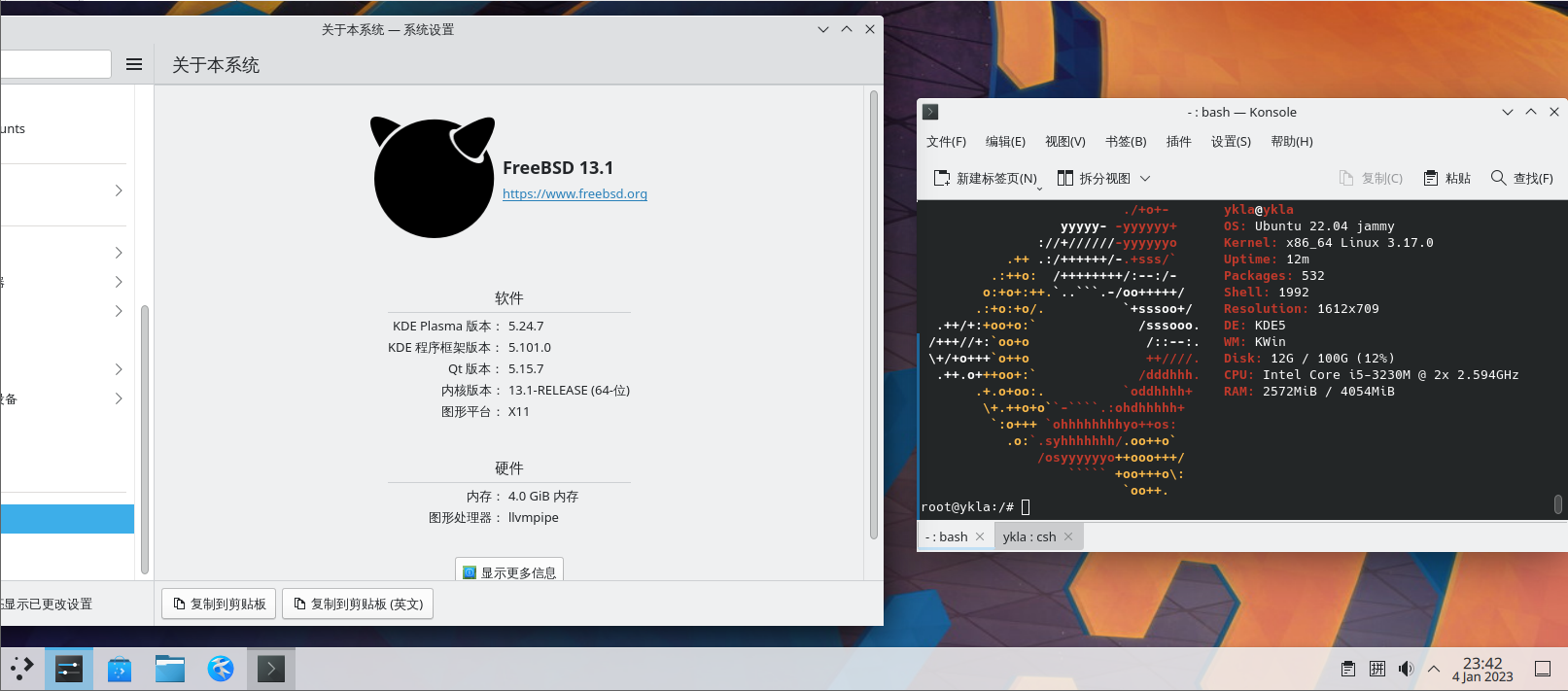
此外,可采用类似方法构建 Debian 兼容层。其他系统的支持情况请参见 /usr/local/share/debootstrap/scripts/ 目录。
20.3.1.1 开始构建 Ubuntu 兼容层(基于 Ubuntu 22.04 LTS)
构建前,需启用相关守护进程和服务:
# service linux enable   # 启用 Linux 兼容层服务,设置开机自启
# service linux start    # 启动 Linux 兼容层服务
# service dbus enable    # 启用 D-Bus 服务,设置开机自启(桌面环境通常已配置)
# service dbus start # 启动 D-Bus 服务(桌面环境通常已配置)构建 Ubuntu 22.04 LTS 基本系统:
# pkg install debootstrap                                   # 安装 debootstrap 工具
# debootstrap jammy /compat/ubuntu http://mirrors.ustc.edu.cn/ubuntu/ # 使用 debootstrap 安装 Ubuntu Jammy 至 /compat/ubuntu20.3.1.2 指定兼容层路径
构建完成后,须挂载必要的文件系统。将 Linux 兼容层默认路径指向 /compat/ubuntu 以实现相关文件系统的自动挂载。
立即生效:
# sysctl compat.linux.emul_path=/compat/ubuntu永久设置:
# echo "compat.linux.emul_path=/compat/ubuntu" >> /etc/sysctl.conf20.3.1.3 设置 Linux 内核版本
可能需要设定合适的 Linux 内核版本,否则 chroot 时将提示 FATAL: kernel too old。
7.0.11 仅为示例,建议参考 The Linux Kernel Archives 中公布的版本号设置。
# echo "compat.linux.osrelease=7.0.11" >> /etc/sysctl.conf   # 将内核版本写入 sysctl 配置文件,永久生效
# sysctl compat.linux.osrelease=7.0.11 # 立即设置内核版本,当前会话即可使用重启 Linux 兼容层服务:
service linux restart20.3.1.4 进入 Ubuntu 兼容层
完成文件系统挂载和内核版本设定后,进入 Ubuntu 兼容层继续配置。
chroot 进入 Ubuntu 兼容环境,移除可能导致错误的软件:
# chroot /compat/ubuntu /bin/bash	# 进入 Linux 兼容环境
# apt remove rsyslog # 进入兼容层后,卸载 rsyslog20.3.1.5 Ubuntu 切换软件源
更换 Ubuntu 兼容层的软件源可提高下载速度。
卸载 rsyslog 后须更换软件源;由于 SSL 证书尚未更新,暂时无法使用 HTTPS 源。
使用文本编辑器编辑 Ubuntu 兼容环境中的 APT 软件源配置文件 /compat/ubuntu/etc/apt/sources.list,写入软件源:
deb http://mirrors.ustc.edu.cn/ubuntu/ jammy main restricted universe multiverse
deb-src http://mirrors.ustc.edu.cn/ubuntu/ jammy main restricted universe multiverse
deb http://mirrors.ustc.edu.cn/ubuntu/ jammy-security main restricted universe multiverse
deb-src http://mirrors.ustc.edu.cn/ubuntu/ jammy-security main restricted universe multiverse
deb http://mirrors.ustc.edu.cn/ubuntu/ jammy-updates main restricted universe multiverse
deb-src http://mirrors.ustc.edu.cn/ubuntu/ jammy-updates main restricted universe multiverse
deb http://mirrors.ustc.edu.cn/ubuntu/ jammy-backports main restricted universe multiverse
deb-src http://mirrors.ustc.edu.cn/ubuntu/ jammy-backports main restricted universe multiverse进入 Ubuntu 兼容层,开始更新系统,安装常用软件:
# export LANG=C # 设置字符集以避免错误
# apt update && apt upgrade && apt install nano wget fonts-wqy-microhei fonts-wqy-zenhei language-pack-zh-hans # 以下命令在 Ubuntu 兼容层内执行
# update-locale LC_ALL=zh_CN.UTF-8 LANG=zh_CN.UTF-8 # 设置中文字符集20.3.2 附录:Ubuntu 兼容层脚本(基于 Ubuntu 26.04 LTS)
Ubuntu 26.04 LTS 兼容层:
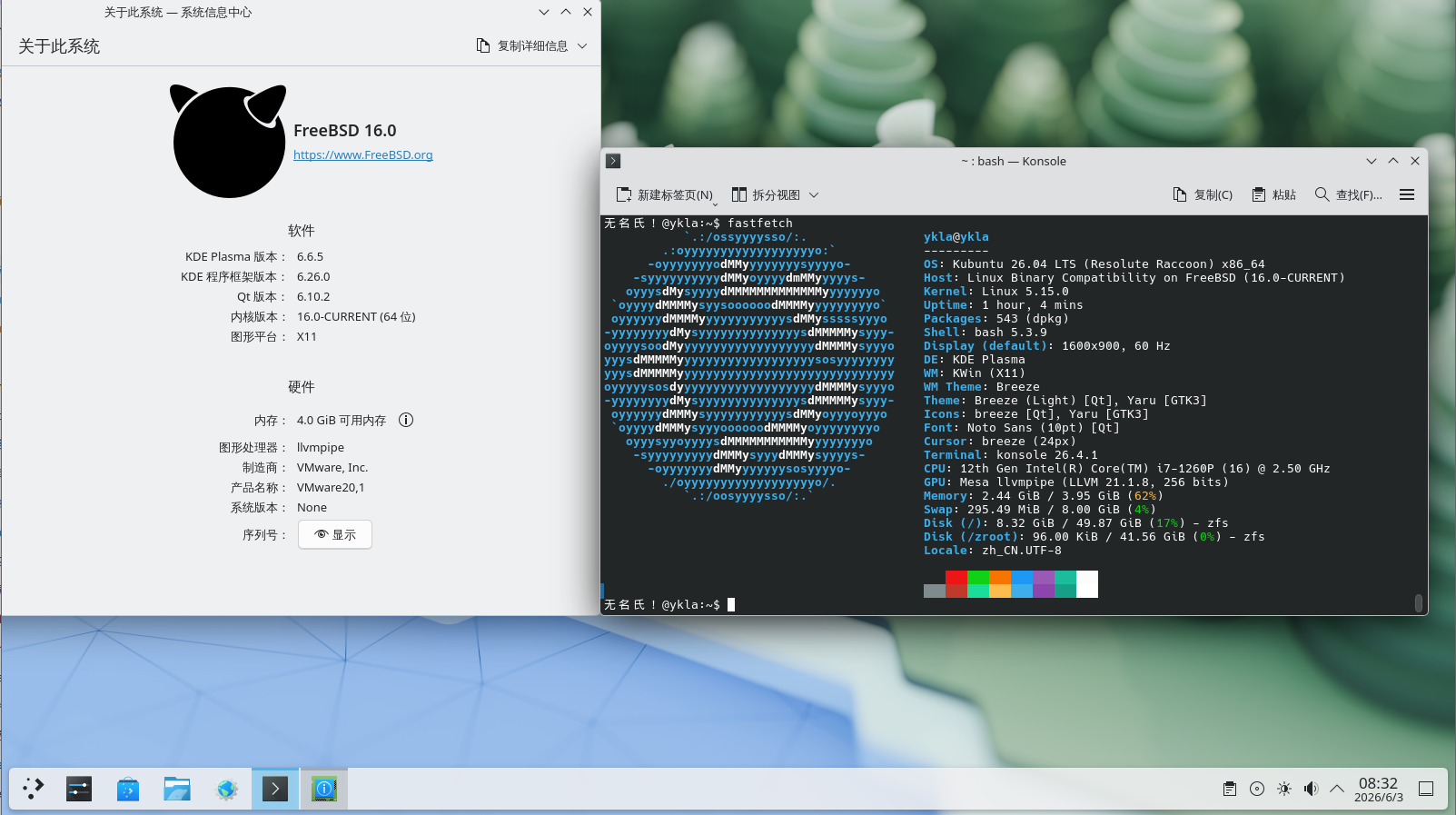
脚本内容如下:
#!/bin/sh

ROOT_DIR=/compat
DIST_Linux=ubuntu
DIST=ubuntu-releases
DIST_FULLNAME="Ubuntu 26.04"
VER=26
SUB_VER=04
FILE=ubuntu-${VER}.${SUB_VER}-wsl-amd64.wsl
SUBDIR=""
URL=https://mirrors.ustc.edu.cn/${DIST}/${VER}.${SUB_VER}/
UPDATE_CMD="apt-get update -y"
UPGRADE_CMD="apt-get upgrade -y"
INSTALL_CMD="apt-get install -y"
UPDATE=1
UPGRADE=1
INSTALL=1

# 提前创建目标目录
TARGET_PATH="${ROOT_DIR}/${DIST_Linux}"
mkdir -p "${TARGET_PATH}"

echo "Starting ${DIST_FULLNAME} installation"
sleep 0.5

# 检查 Linux 模块
echo "Checking required modules"

if [ "$(sysrc -n linux_enable 2>/dev/null)" != "YES" ]; then
    echo "Linux service is not enabled. Enable it now? (Y|n)"
    read ANSWER
    case $ANSWER in
        [Nn][Oo]|[Nn])
            echo "Warning: You must start the Linux service with \"service linux start\" after each FreeBSD reboot."
            echo "Are you sure you want to continue without enabling the Linux service? (y|N)"
            read ANSWER
            case $ANSWER in
                [Yy][Ee][Ss]|[Yy])
                    echo "WARNING: Linux module not enabled"
                    ;;
                [Nn][Oo]|[Nn]|"")
                    echo "Enabling Linux module"
                    service linux enable
                    ;;
                *)
                    echo "Aborting."
                    exit 4
                    ;;
            esac
            ;;
        [Yy][Ee][Ss]|[Yy]|"")
            echo "Enabling Linux module"
            service linux enable
            ;;
        *)
            echo "Aborting."
            exit 4
            ;;
    esac
fi

echo "Starting Linux service"
service linux start

# 检查 dbus
if ! which -s dbus-daemon; then
    echo "dbus-daemon not found. Install D-Bus now? (Y|n)"
    read ANSWER
    case $ANSWER in
        [Nn][Oo]|[Nn])
            echo "Aborting. D-Bus not installed"
            exit 2
            ;;
        [Yy][Ee][Ss]|[Yy]|"")
            echo "Installing D-Bus"
            pkg install -y dbus
            ;;
        *)
            echo "Aborting."
            exit 4
            ;;
    esac
fi

if [ "$(sysrc -n dbus_enable 2>/dev/null)" != "YES" ]; then
    echo "D-Bus is not enabled. Enable it now? (Y|n)"
    read ANSWER
    case $ANSWER in
        [Nn][Oo]|[Nn])
            echo "WARNING: You must start D-Bus with \"service dbus start\" after each FreeBSD reboot."
            echo "Are you sure you want to continue without enabling D-Bus? (y|N)"
            read ANSWER
            case $ANSWER in
                [Yy][Ee][Ss]|[Yy])
                    echo "Warning: D-Bus service not enabled"
                    ;;
                [Nn][Oo]|[Nn]|"")
                    echo "Enabling D-Bus service"
                    service dbus enable
                    ;;
                *)
                    echo "Aborting."
                    exit 4
                    ;;
            esac
            ;;
        [Yy][Ee][Ss]|[Yy]|"")
            echo "Enabling D-Bus service"
            service dbus enable
            ;;
        *)
            echo "Aborting."
            exit 4
            ;;
    esac
fi

# =====================================================================
# 下载与解压主体逻辑
# =====================================================================
echo "${DIST_FULLNAME} will be installed in ${TARGET_PATH}"

# 动态完整性校验
check_integrity() {
    # 1. 目标文件不存在,直接失败
    [ -f "${FILE}" ] || return 1

    # 2. 校验文件不存在,直接失败
    if [ ! -f "SHA256SUMS" ]; then
        echo "Error: SHA256SUMS file is missing." >&2
        return 1
    fi

    # 3. 从 SHA256SUMS 中提取期望哈希值
    local expected_hash
    expected_hash=$(grep "${FILE}" SHA256SUMS | awk '{print $1}')

    if [ -z "${expected_hash}" ]; then
        return 1
    fi

    # 4. 获取本地实际哈希值
    local actual_hash
    if command -v sha256 >/dev/null 2>&1; then
        actual_hash=$(sha256 -q "${FILE}")
    else
        echo "Error: sha256 command not found on this system." >&2
        return 1
    fi

	# 打印 SHA256 比对清单
    echo "========================================================"
    echo " Verifying checksum for: ${FILE}"
    echo "--------------------------------------------------------"
    echo " Expected SHA256: ${expected_hash}"
    echo " Actual   SHA256: ${actual_hash}"
    echo "========================================================"

    # 5. 字符串比对
    if [ "${expected_hash}" = "${actual_hash}" ]; then
        return 0
    else
        return 1
    fi
}

# 优先下载最新的校验和文件
echo "Updating verification manifest (SHA256SUMS)..."
fetch "${URL}/SHA256SUMS"

if [ ! -f "SHA256SUMS" ]; then
    echo "Critical Error: Failed to download SHA256SUMS manifest from remote server." >&2
    exit 1
fi

# 步骤 1:检查本地是否已有有效文件
if check_integrity; then
    echo "Valid basic system archive detected locally. Skipping download."
else
    # 如果文件存在但校验失败,说明上一次下载未完成,尝试断点续传
    if [ -f "${FILE}" ]; then
        echo "Local file exists but is incomplete or invalid. Attempting to resume download..."
    else
        echo "Downloading basic system..."
    fi

    # 第一次下载:配合 -r 参数开启断点续传
    fetch -r "${URL}/${FILE}"

    # 步骤 2:下载后进行校验,失败则重试一次
    if ! check_integrity; then
        echo "Checksum mismatch after download. Cleaning up corrupted cache and retrying one last time..."

        # 清除可能损坏的断点残片,重试完整下载
        rm -f "${FILE}"
        fetch "${URL}/${FILE}"

        # 最终校验:若仍失败,终止脚本
        if ! check_integrity; then
            echo "Error: Checksum verification failed again after retry. Installation aborted." >&2
            exit 1
        fi
    fi
fi

# 步骤 3:解压基础系统
echo "Extracting basic system"
sleep 0.5
tar xvpf "${FILE}" ${SUBDIR:-} -C "${TARGET_PATH}" --numeric-owner 2>&1 | grep -v "Error exit delayed from previous errors"

# 修改兼容层默认路径
sysctl compat.linux.emul_path="${TARGET_PATH}"
if ! grep -q "compat.linux.emul_path" /etc/sysctl.conf; then
    echo "compat.linux.emul_path=${TARGET_PATH}" >> /etc/sysctl.conf
else
    # 如果已存在则更新它
    sed -i '' "s|compat.linux.emul_path=.*|compat.linux.emul_path=${TARGET_PATH}|" /etc/sysctl.conf
fi

linux_path=$(sysctl -n compat.linux.emul_path)
echo "Now compat.linux.emul_path is $linux_path"

# 设置 Linux 内核版本,否则 chroot 时将提示 FATAL: kernel too old
sysctl compat.linux.osrelease=7.0.11
if ! grep -q "compat.linux.osrelease" /etc/sysctl.conf; then
    echo "compat.linux.osrelease=7.0.11" >> /etc/sysctl.conf
else
    sed -i '' "s|compat.linux.osrelease=.*|compat.linux.osrelease=7.0.11|" /etc/sysctl.conf
fi

osrelease=$(sysctl -n compat.linux.osrelease)
echo "Now compat.linux.osrelease is $osrelease"
service linux restart

# 配置 DNS
echo "Should ${DIST_FULLNAME} use Alibaba DNS or local resolv.conf? ((A)li | (L)ocal | (C)ancel)"
read ANSWER
case $ANSWER in
    [Aa][Ll][Ii]|[Aa]|"")
        echo "Setting Alibaba DNS"
		grep -q "nameserver 223.5.5.5" "${TARGET_PATH}/etc/resolv.conf" 2>/dev/null || \
		    echo "nameserver 223.5.5.5" >> "${TARGET_PATH}/etc/resolv.conf"
		grep -q "nameserver 223.6.6.6" "${TARGET_PATH}/etc/resolv.conf" 2>/dev/null || \
		    echo "nameserver 223.6.6.6" >> "${TARGET_PATH}/etc/resolv.conf"
        ;;
    [Ll][Oo][Cc][Aa][Ll]|[Ll])
        echo "Using local resolv.conf"
        cp /etc/resolv.conf "${TARGET_PATH}/etc/resolv.conf"
        ;;
    *)
        echo "Canceled."
        echo "You must manually edit ${TARGET_PATH}/etc/resolv.conf!"
        ;;
esac

# 设置 USTC 镜像源
echo "Do you want to use the USTC mirror for ${DIST_FULLNAME}? (Y|n)"
read ANSWER
case $ANSWER in
    [Yy][Ee][Ss]|[Yy]|"")
echo "Setting USTC mirror"
        chroot "${TARGET_PATH}" /bin/bash -c "sed -i.bak \
            -e 's|http://archive.ubuntu.com/ubuntu/|https://mirrors.ustc.edu.cn/ubuntu/|g' \
            -e 's|http://security.ubuntu.com/ubuntu/|https://mirrors.ustc.edu.cn/ubuntu/|g' \
            /etc/apt/sources.list.d/ubuntu.sources"
		# APT::Cache-Start 用于设置 apt 默认缓存大小,按提示调大
		echo "APT::Cache-Start 90000000;" >> "${TARGET_PATH}/etc/apt/apt.conf"
        ;;
    [Nn][Oo]|[Nn])
        echo "Will not set USTC mirror. Skipping update, upgrade, and installation."
        UPDATE=0
        UPGRADE=0
        INSTALL=0
        ;;
    *)
        echo "Aborting."
        exit 4
        ;;
esac

# 更新、升级和安装软件
# 检查网络连通性
if ping -c 1 -W 3000 223.5.5.5 > /dev/null 2>&1; then
    echo "Network reachable, starting operations..."

    echo "Cleaning up snapd..."
    chroot "${TARGET_PATH}" /bin/bash -c "
        if dpkg -l | grep -q snapd; then
            dpkg --purge --force-all snapd 2>/dev/null
            apt-get autoremove --purge -y
        fi
    " || exit 1

    if [ "$UPDATE" = "1" ]; then
        echo "Updating package cache"
        chroot "${TARGET_PATH}" /bin/bash -c "$UPDATE_CMD" || exit 1
    fi

    if [ "$INSTALL" = "1" ]; then
        echo "Installing language-pack and tools"
        # 安装语言包并生成 locale,安装失败则退出
        chroot "${TARGET_PATH}" /bin/bash -c "$INSTALL_CMD nano language-pack-zh-hans locales && locale-gen zh_CN.UTF-8 && update-locale LC_ALL=zh_CN.UTF-8 LANG=zh_CN.UTF-8" || exit 1
    fi

    if [ "$UPGRADE" = "1" ]; then
        echo "Upgrading system packages"
        chroot "${TARGET_PATH}" /bin/bash -c "$UPGRADE_CMD" || exit 1
    fi

else
    echo "Network unreachable, skipping update and installation."
fi

# 清理
echo "Cleaning up"
rm -f ${FILE}

echo "All done."
echo "You can switch to ${DIST_FULLNAME} with \"chroot ${TARGET_PATH} /bin/bash\""20.3.3 附录:Debian 13 / Kali Linux 兼容层
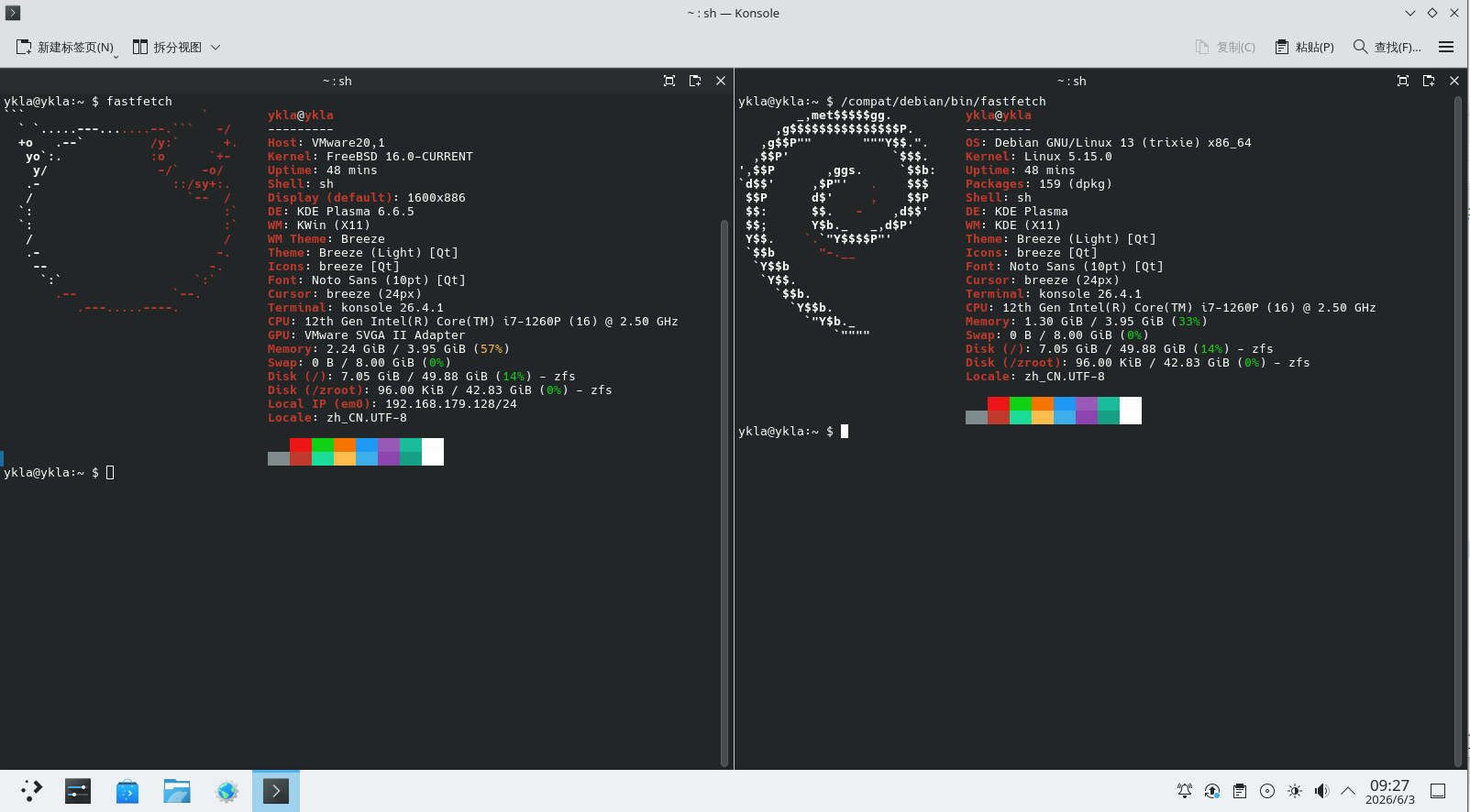
Debian 13 兼容层:
Kali Linux 兼容层:
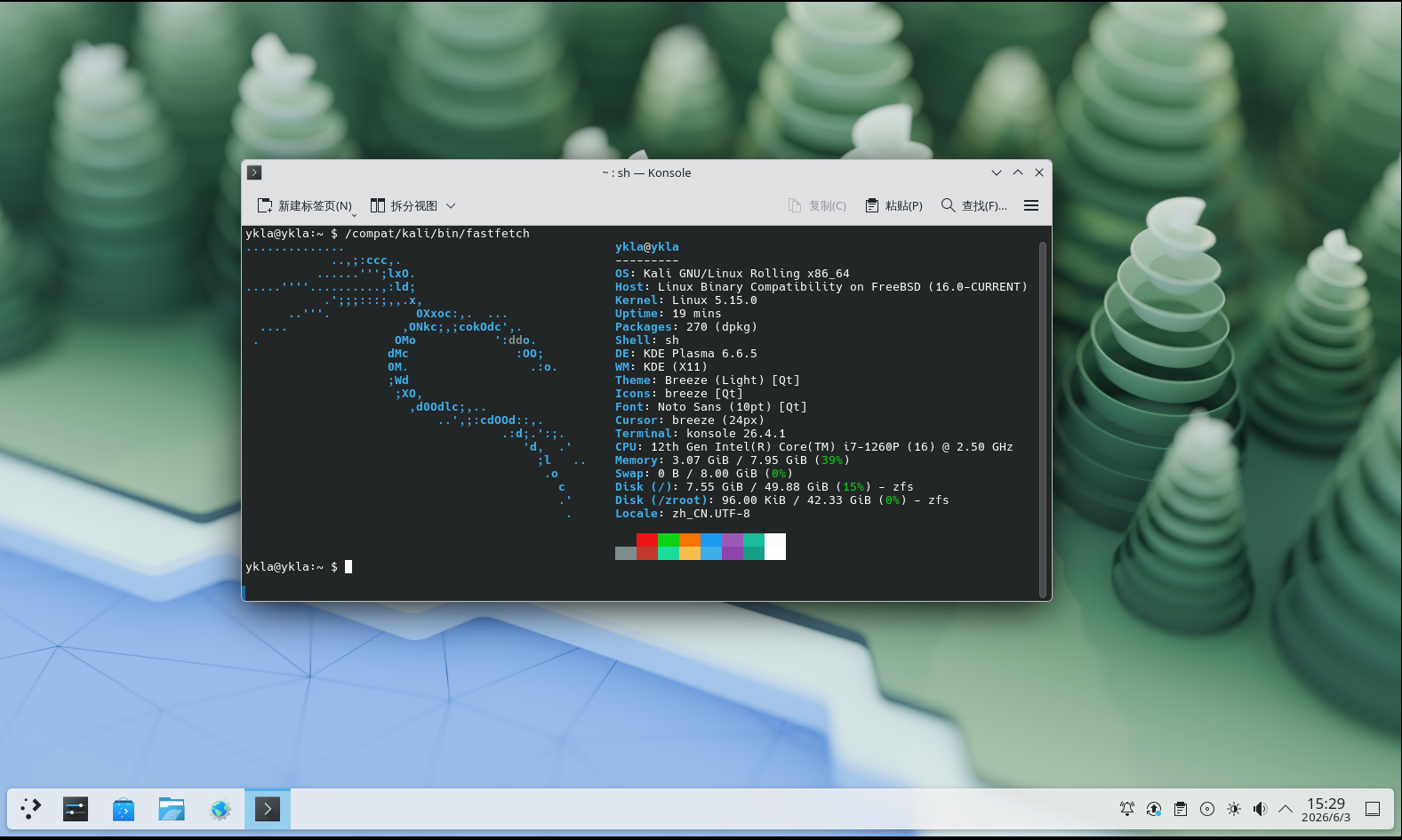
脚本内容如下:
#!/bin/sh

ROOT_DIR=/compat
UPDATE_CMD="apt-get update -y"
UPGRADE_CMD="apt-get upgrade -y"
INSTALL_CMD="apt-get install -y"
UPDATE=1
UPGRADE=1
INSTALL=1

echo "========================================"
echo "  Welcome to FreeBSD WSL Image Installer"
echo "========================================"
echo "Which distribution do you want to install?"
echo "1) Debian 13 (Default)"
echo "2) Kali Linux (Rolling)"
echo "----------------------------------------"
echo -n "Enter your choice (1 or 2): "
read DIST_CHOICE

case "$DIST_CHOICE" in
    2)
        DIST_Linux="kali"
        DIST_FULLNAME="Kali Linux"
        echo "Fetching latest Kali WSL image info..."
        RAW_DATA=$(fetch -q -o - https://kali.download/wsl-images/current/SHA256SUMS | awk '/amd64\.wsl/')
        EXPECTED_HASH=$(echo "$RAW_DATA" | awk '{print $1}')
        FILE=$(echo "$RAW_DATA" | awk '{print $2}')
        URL="https://kali.download/wsl-images/current"

        if [ -z "$FILE" ] || [ -z "$EXPECTED_HASH" ]; then
            echo "Error: Failed to fetch dynamic Kali image info. Check network."
            exit 1
        fi
        ;;
    1|"")
        DIST_Linux="debian"
        DIST_FULLNAME="Debian 13"
        DIST="9606244"
        VER="v1.26.0.0"
        FILE="Debian_WSL_AMD64_${VER}.wsl"
        URL="https://salsa.debian.org/debian/WSL/-/jobs/${DIST}/artifacts/raw/"
        EXPECTED_HASH="5ec7dc68216e75d1d4d4761474e99d8461a98d316537110314b137122a879e0f"
        ;;
    *)
        echo "Invalid choice. Aborting."
        exit 1
        ;;
esac

# 提前创建目标目录
TARGET_PATH="${ROOT_DIR}/${DIST_Linux}"
mkdir -p "${TARGET_PATH}"

echo "Starting ${DIST_FULLNAME} installation workflow"
sleep 0.5

# -----------------
# 检查 Linux 模块
# -----------------
echo "Checking required modules"
if [ "$(sysrc -n linux_enable 2>/dev/null)" != "YES" ]; then
    echo "Linux service is not enabled. Enable it now? (Y|n)"
    read ANSWER
    case $ANSWER in
        [Nn][Oo]|[Nn])
            echo "Warning: You must start the Linux service with \"service linux start\" after each FreeBSD reboot."
            echo "Are you sure you want to continue without enabling the Linux service? (y|N)"
            read ANSWER
            case $ANSWER in
                [Yy][Ee][Ss]|[Yy])
                    echo "WARNING: Linux module not enabled"
                    ;;
                [Nn][Oo]|[Nn]|"")
                    echo "Enabling Linux module"
                    service linux enable
                    ;;
                *)
                    echo "Aborting."
                    exit 4
                    ;;
            esac
            ;;
        [Yy][Ee][Ss]|[Yy]|"")
            echo "Enabling Linux module"
            service linux enable
            ;;
        *)
            echo "Aborting."
            exit 4
            ;;
    esac
fi

echo "Starting Linux service"
service linux start

# -----------------
# 检查 dbus
# -----------------
if ! which -s dbus-daemon; then
    echo "dbus-daemon not found. Install D-Bus now? (Y|n)"
    read ANSWER
    case $ANSWER in
        [Nn][Oo]|[Nn])
            echo "Aborting. D-Bus not installed"
            exit 2
            ;;
        [Yy][Ee][Ss]|[Yy]|"")
            echo "Installing D-Bus"
            pkg install -y dbus
            ;;
        *)
            echo "Aborting."
            exit 4
            ;;
    esac
fi

if [ "$(sysrc -n dbus_enable 2>/dev/null)" != "YES" ]; then
    echo "D-Bus is not enabled. Enable it now? (Y|n)"
    read ANSWER
    case $ANSWER in
        [Nn][Oo]|[Nn])
            echo "WARNING: You must start D-Bus with \"service dbus start\" after each FreeBSD reboot."
            echo "Are you sure you want to continue without enabling D-Bus? (y|N)"
            read ANSWER
            case $ANSWER in
                [Yy][Ee][Ss]|[Yy])
                    echo "Warning: D-Bus service not enabled"
                    ;;
                [Nn][Oo]|[Nn]|"")
                    echo "Enabling D-Bus service"
                    service dbus enable
                    ;;
                *)
                    echo "Aborting."
                    exit 4
                    ;;
            esac
            ;;
        [Yy][Ee][Ss]|[Yy]|"")
            echo "Enabling D-Bus service"
            service dbus enable
            ;;
        *)
            echo "Aborting."
            exit 4
            ;;
    esac
fi

# -----------------------------------
# 下载、安全校验与解压
# -----------------------------------
echo "${DIST_FULLNAME} will be installed in ${TARGET_PATH}"
echo "Downloading basic system image: ${FILE}"
fetch "${URL}/${FILE}"

echo "Verifying SHA256 Checksum..."
ACTUAL_HASH=$(sha256 -q "${FILE}")

if [ "$ACTUAL_HASH" != "$EXPECTED_HASH" ]; then
    echo "CRITICAL ERROR: SHA256 checksum mismatch!"
    echo "Expected : $EXPECTED_HASH"
    echo "Actual   : $ACTUAL_HASH"
    echo "The file might be corrupted or compromised. Cleaning up and aborting."
    rm -f "${FILE}"
    exit 1
fi
echo "Checksum successfully verified!"

echo "Extracting basic system"
sleep 0.5
tar xvpf "${FILE}" -C "${TARGET_PATH}" --numeric-owner 2>&1 | grep -v "Error exit delayed from previous errors"

# 修改默认兼容层路径
sysctl compat.linux.emul_path="${TARGET_PATH}"
if ! grep -q "compat.linux.emul_path" /etc/sysctl.conf; then
    echo "compat.linux.emul_path=${TARGET_PATH}" >> /etc/sysctl.conf
else
    sed -i '' "s|compat.linux.emul_path=.*|compat.linux.emul_path=${TARGET_PATH}|" /etc/sysctl.conf
fi

linux_path=$(sysctl -n compat.linux.emul_path)
echo "Now compat.linux.emul_path is $linux_path"

# 设置 Linux 内核版本,否则 chroot 时将提示 FATAL: kernel too old
sysctl compat.linux.osrelease=7.0.11
if ! grep -q "compat.linux.osrelease" /etc/sysctl.conf; then
    echo "compat.linux.osrelease=7.0.11" >> /etc/sysctl.conf
else
    sed -i '' "s|compat.linux.osrelease=.*|compat.linux.osrelease=7.0.11|" /etc/sysctl.conf
fi

osrelease=$(sysctl -n compat.linux.osrelease)
echo "Now compat.linux.osrelease is $osrelease"
service linux restart

# -----------------
# 基础网络配置
# -----------------
echo "Should ${DIST_FULLNAME} use Alibaba DNS or local resolv.conf? ((A)li | (L)ocal | (C)ancel)"
read ANSWER
case $ANSWER in
    [Aa][Ll][Ii]|[Aa]|"")
        echo "Setting Alibaba DNS"
		grep -q "nameserver 223.5.5.5" "${TARGET_PATH}/etc/resolv.conf" 2>/dev/null || \
		    echo "nameserver 223.5.5.5" >> "${TARGET_PATH}/etc/resolv.conf"
		grep -q "nameserver 223.6.6.6" "${TARGET_PATH}/etc/resolv.conf" 2>/dev/null || \
		    echo "nameserver 223.6.6.6" >> "${TARGET_PATH}/etc/resolv.conf"
        ;;
    [Ll][Oo][Cc][Aa][Ll]|[Ll])
        echo "Using local resolv.conf"
        cp /etc/resolv.conf "${TARGET_PATH}/etc/resolv.conf"
        ;;
    *)
        echo "Canceled."
        echo "You must manually edit ${TARGET_PATH}/etc/resolv.conf!"
        ;;
esac

# -----------------
# 镜像源配置
# -----------------
echo "Do you want to use the USTC mirror for ${DIST_FULLNAME}? (Y|n)"
read ANSWER
case $ANSWER in
    [Yy][Ee][Ss]|[Yy]|"")
        echo "Setting USTC mirror for ${DIST_FULLNAME}"

        if [ "$DIST_Linux" = "debian" ]; then
            chroot "${TARGET_PATH}" /bin/bash -c "sed -i.bak \
                -e 's|http://archive.debian.org/|https://mirrors.ustc.edu.cn/|g' \
                -e 's|http://security.debian.org/|https://mirrors.ustc.edu.cn/|g' \
                /etc/apt/sources.list.d/0000debian.sources"

        elif [ "$DIST_Linux" = "kali" ]; then
            # 将 Kali 镜像源插入到 sources.list 文件最前方
            echo "deb https://mirrors.ustc.edu.cn/kali kali-rolling main non-free non-free-firmware contrib" > "${TARGET_PATH}/etc/apt/sources.list"
            echo "deb-src https://mirrors.ustc.edu.cn/kali kali-rolling main non-free non-free-firmware contrib" >> "${TARGET_PATH}/etc/apt/sources.list"
        fi

        echo "APT::Cache-Start 90000000;" >> "${TARGET_PATH}/etc/apt/apt.conf"
        ;;
    [Nn][Oo]|[Nn])
        echo "Will not set USTC mirror. Skipping update, upgrade, and installation."
        UPDATE=0
        UPGRADE=0
        INSTALL=0
        ;;
    *)
        echo "Aborting."
        exit 4
        ;;
esac

# -----------------
# 系统初始化与更新
# -----------------
if ping -c 1 -W 3000 223.5.5.5 > /dev/null 2>&1; then
    echo "Network reachable, starting operations..."

    # ==================== 新增:Kali Linux 特殊锁定逻辑 ====================
    if [ "$DIST_Linux" = "kali" ]; then
        echo "Kali Linux detected. Locking core packages inside chroot..."
        chroot "${TARGET_PATH}" /bin/bash -c "apt-mark hold systemd dbus-user-session udev dhcpcd-base libpam-systemd:amd64 dbus-system-bus-common cron-daemon-common systemd-sysv openssh-server openssh-client cron openssh-client-gssapi dbus openssh-sftp-server" || exit 1
    fi
    # =====================================================================

    if [ "$UPDATE" = "1" ]; then
        echo "Updating package cache"
        chroot "${TARGET_PATH}" /bin/bash -c "$UPDATE_CMD" || exit 1
    fi

    if [ "$INSTALL" = "1" ]; then
        echo "Installing nano and configuring locale"
        chroot "${TARGET_PATH}" /bin/bash -c "$INSTALL_CMD nano locales && sed -i 's/^# *\(zh_CN.UTF-8 UTF-8\)/\1/' /etc/locale.gen && locale-gen && update-locale LC_ALL=zh_CN.UTF-8 LANG=zh_CN.UTF-8" || exit 1
    fi

    if [ "$UPGRADE" = "1" ]; then
        echo "Upgrading system packages"
        chroot "${TARGET_PATH}" /bin/bash -c "$UPGRADE_CMD" || exit 1
    fi
else
    echo "Network unreachable, skipping update and installation."
fi

# -----------------
# 清理阶段
# -----------------
echo "Cleaning up"
rm -f "${FILE}"

echo "All done."
echo "You can switch to ${DIST_FULLNAME} with \"chroot ${TARGET_PATH} /bin/bash\""20.3.4 附录:运行 X11 软件
允许所有本地用户访问当前 X Server 实例:
# xhost +local: # 此时处于 FreeBSD 系统20.3.5 故障排除与未竟事宜
20.3.5.1 程序的命令行启动命令是什么?
按以下方法依次查找(以 gedit 为例):
- 直接执行软件包名
# gedit; whereis 软件包名,定位后执行。whereis gedit;- 通过软件图标定位,进入 /usr/share/applications 目录,根据软件包名找到对应文件,并使用文本编辑器(如 ee、nano)打开(.desktop 文件 是文本文件,而非软链接或图片),找到其中的程序启动命令并复制到终端运行即可。
- 通过
find命令全局查找(如# find / -name gedit)。
如何查找软件?
bash# apt search --names-only XXX # 按名称搜索包含 XXX 的软件包将 XXX 改为所需搜索的软件名即可。
20.3.5.2 缺少 .so 文件
- 先查看缺少哪些 .so 文件,通常不会只缺失一个。
# ldd /usr/bin/qq	# 查看可执行文件 qq 所依赖的动态链接库
	linux_vdso.so.1 (0x00007ffffffff000)
	libffmpeg.so => not found
	libdl.so.2 => /lib/x86_64-linux-gnu/libdl.so.2 (0x0000000801061000)
	libpthread.so.0 => /lib/x86_64-linux-gnu/libpthread.so.0 (0x0000000801066000)
…………………………以下省略……………………………………根据输出 libffmpeg.so => not found,判断缺失“libffmpeg.so”。
- 安装工具
# apt install apt-file   # 安装 apt-file 工具,用于查询文件所属的软件包
# apt-file update # 更新 apt-file 的软件包索引数据库- 查看
libffmpeg.so文件属于哪个包:
# apt-file search libffmpeg.so	# 查询包含 libffmpeg.so 文件的软件包
qmmp: /usr/lib/qmmp/plugins/Input/libffmpeg.so
webcamoid-plugins: /usr/lib/x86_64-linux-gnu/avkys/submodules/MultiSink/libffmpeg.so
webcamoid-plugins: /usr/lib/x86_64-linux-gnu/avkys/submodules/MultiSrc/libffmpeg.so
webcamoid-plugins: /usr/lib/x86_64-linux-gnu/avkys/submodules/VideoCapture/libffmpeg.so多个包都提供了该文件,任选一个安装即可。
# apt install webcamoid-plugins # 安装 Webcamoid 的插件组件- 按照上述路径复制文件,并刷新 ldd 缓存:
# cp /usr/lib/x86_64-linux-gnu/avkys/submodules/MultiSink/libffmpeg.so /usr/lib   # 将 libffmpeg.so 文件复制到系统库目录
# ldconfig # 重新生成动态链接库缓存- 再次查看可执行文件 /usr/bin/qq 所依赖的动态链接库:
# ldd /usr/bin/qq
	linux_vdso.so.1 (0x00007ffffffff000)
	libffmpeg.so => /lib/libffmpeg.so (0x0000000801063000)
…………………………以下省略……………………………………20.3.6 参考文献
- Debian Project. debootstrap(8)[EB/OL]. [2026-04-17]. https://manpages.debian.org/stable/debootstrap/debootstrap.8.en.html. debootstrap 工具手册页,用于从指定发行版仓库引导 Debian 基本系统。