
12.4 Xfce
Xfce 是一款基于 GTK+ 的轻量级桌面环境,提供简洁、高效、易于使用的桌面体验。它完全可配置,拥有包含菜单、小程序和应用程序启动器的主面板,提供文件管理器和声音管理器,并支持主题。由于其快速、轻巧、高效的特性,非常适合配置较低或内存受限的计算机。
值得一提的是,Xfce 的 Logo 是一只老鼠 🐀。曾有用户反馈一则轶事,称因 Xfce 的默认壁纸是一只老鼠 🐀,导致电脑屏幕被猫 🐈 抓坏(SanjaytheToilet. [joke] The default desktop startup screen causes damage to monitor![EB/OL]. (2015-08-04)[2026-04-04]. https://bugzilla.xfce.org/show_bug.cgi?id=12117.)。
12.4.1 安装 Xfce 桌面环境
- 通过 pkg 安装
sh
# pkg install xorg xfce wqy-fonts xdg-user-dirs xfce4-goodies- 或通过 ports 安装:
sh
# cd /usr/ports/x11/xorg/ && make install clean
# cd /usr/ports/x11-wm/xfce4 && make install clean # 注意包名中的数字 4
# cd /usr/ports/x11/xfce4-goodies/ && make install clean
# cd /usr/ports/x11-fonts/wqy/ && make install clean
# cd /usr/ports/devel/xdg-user-dirs/ && make install clean登录管理器可考虑使用 LightDM。
12.4.1.1 软件包说明
| 包名 | 作用说明 |
|---|---|
xorg | X 窗口系统 |
xfce | Xfce 桌面环境 |
wqy-fonts | 文泉驿中文字体 |
xdg-user-dirs | 管理用户主目录 |
xfce4-goodies | Xfce 附加组件和插件集合 |
12.4.2 startx 命令
将 Xfce 启动脚本写入 ~/.xinitrc 文件,以便使用 startx 命令启动 Xfce:
sh
$ echo "/usr/local/etc/xdg/xfce4/xinitrc" > ~/.xinitrc12.4.3 启动服务
设置 D-Bus 服务开机自启:
sh
# service dbus enable12.4.4 图片欣赏
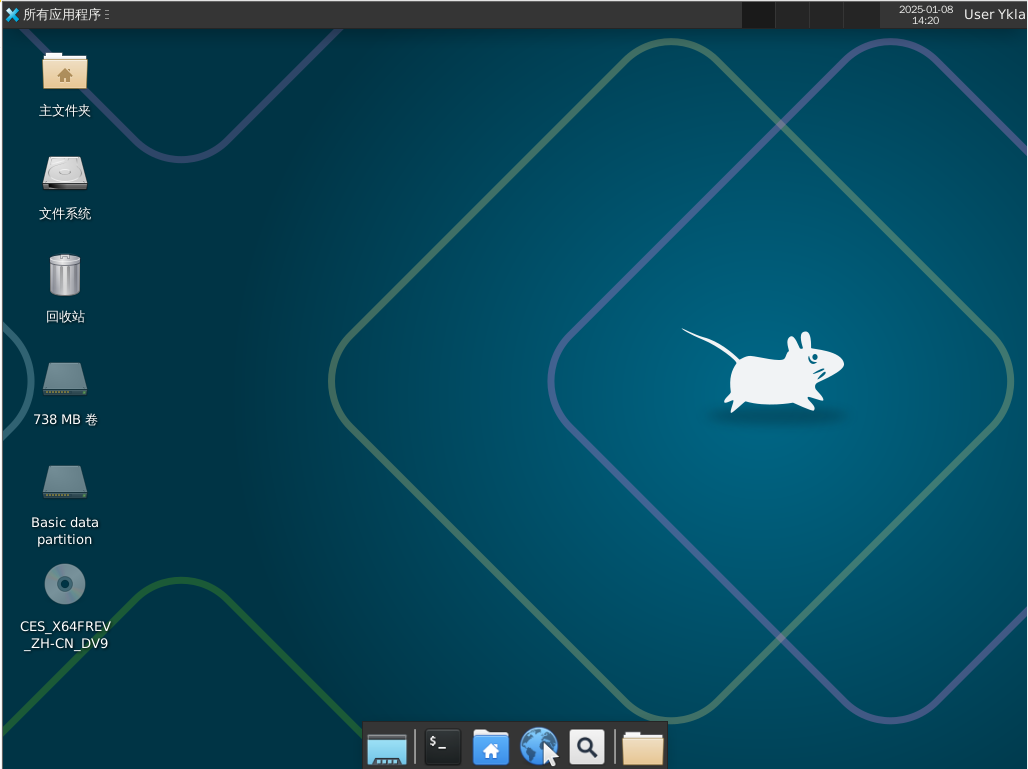
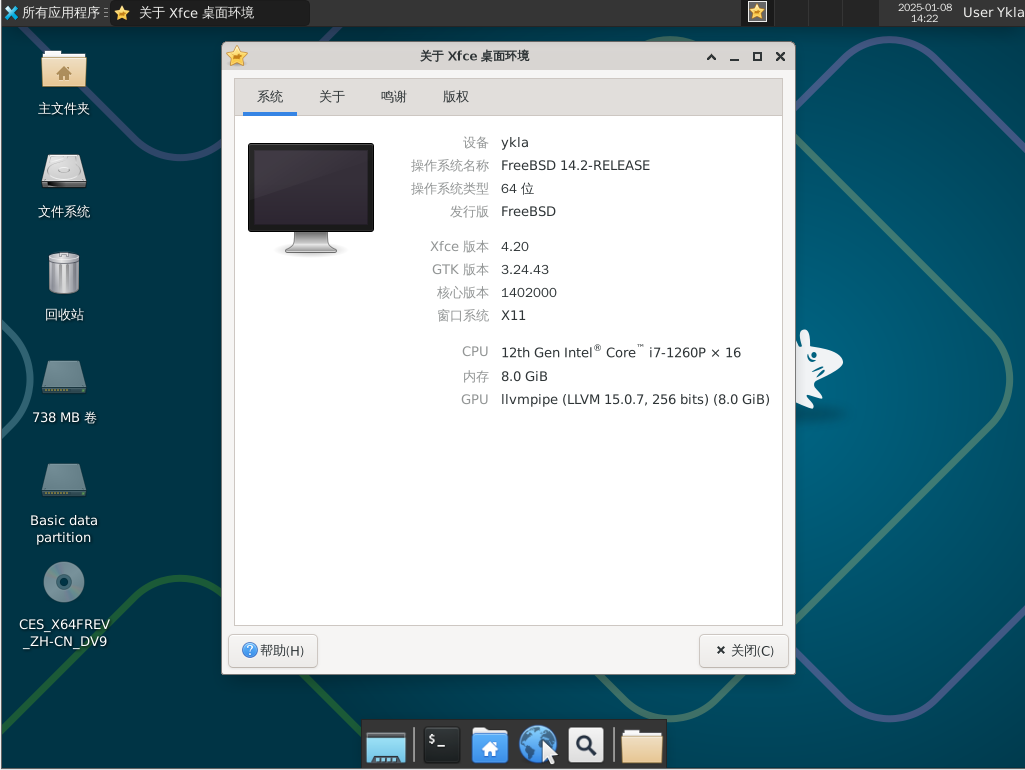
12.4.5 全局菜单(可选)
使用 pkg 安装:
sh
# pkg install xfce4-appmenu-plugin appmenu-gtk-module appmenu-registrar或使用 Ports 安装:
sh
# cd /usr/ports/x11/xfce4-appmenu-plugin/ && make install clean
# cd /usr/ports/x11/gtk-app-menu/ && make install clean
# cd /usr/ports/x11/appmenu-registrar/ && make install clean查看安装后的说明并据此配置。
sh
$ xfconf-query -c xsettings -p /Gtk/ShellShowsMenubar -n -t bool -s true  # 启用 GTK 菜单栏显示
$ xfconf-query -c xsettings -p /Gtk/ShellShowsAppmenu -n -t bool -s true  # 启用 GTK 应用菜单显示
$ xfconf-query -c xsettings -p /Gtk/Modules -n -t string -s "appmenu-gtk-module" # 设置 GTK 模块为 appmenu-gtk-module12.4.6 XTerm 终端动态标题
12.4.6.1 sh
编辑 ~/.shrc 文件,写入:
sh
if [ -t 1 ]; then
  while :; do
    printf '\033]0;%s\007' "$PWD"
    printf '\n$ '
    if ! IFS= read -r cmd; then
      break
    fi
    printf '\033]0;%s\007' "$cmd"
    eval "$cmd"
  done
  exit
fi警告
此脚本使用
eval存在注入风险!请谨慎使用。
12.4.6.2 csh
编辑 ~/.cshrc 文件,写入:
sh
if ( $?TERM && $TERM =~ xterm* ) then
    set host = `hostname`
    alias postcmd 'rehash; printf -- "\033]2;%s\007" "${user}@${host}: ${cwd}"'
endif12.4.6.3 tcsh
编辑 ~/.tcshrc 文件,写入:
sh
switch ($TERM)
case xterm*:
    set prompt="%{\033]0;%n@%m: %~\007%}%# "
    breaksw
default:
    set prompt="%# "
    breaksw
endsw12.4.6.4 Bash
编辑 ~/.bashrc 文件,写入:
sh
case $TERM in
         xterm*)
             PS1="\[\033]0;\u@\h: \w\007\]bash\\$ "
             ;;
         *)
             PS1="bash\\$ "
             ;;
esac12.4.6.5 Zsh
编辑 ~/.zshrc 文件,写入:
sh
autoload -Uz add-zsh-hook

function xterm_title_precmd () {
	print -Pn -- '\e]2;%n@%m %~\a'
	[[ "$TERM" == 'screen'* ]] && print -Pn -- '\e_\005{2}%n\005{-}@\005{5}%m\005{-} \005{+b 4}%~\005{-}\e\\'
}

function xterm_title_preexec () {
	print -Pn -- '\e]2;%n@%m %~ %# ' && print -n -- "${(q)1}\a"
	[[ "$TERM" == 'screen'* ]] && { print -Pn -- '\e_\005{2}%n\005{-}@\005{5}%m\005{-} \005{+b 4}%~\005{-} %# ' && print -n -- "${(q)1}\e\\"; }
}

if [[ "$TERM" == (Eterm*|alacritty*|aterm*|foot*|gnome*|konsole*|kterm*|putty*|rxvt*|screen*|wezterm*|tmux*|xterm*) ]]; then
	add-zsh-hook -Uz precmd xterm_title_precmd
	add-zsh-hook -Uz preexec xterm_title_preexec
fi12.4.6.6 参考文献
- Oracle Corporation. 6.1 动态设置标题不起作用[EB/OL]. [2026-03-25]. https://docs.oracle.com/cd/E19683-01/817-1951/6mhl8aiii/index.html. bash 配置来自此处。
- Wamphyre. BSD-XFCE[EB/OL]. [2026-03-25]. https://web.archive.org/web/20260121072214/https://github.com/Wamphyre/BSD-XFCE. 配置参考集合。
- Arch Linux Project. Zsh[EB/OL]. [2026-03-25]. https://wiki.archlinux.org/title/Zsh. 该文档提供 Zsh 配置的详细教程,本节 Zsh 配置源自此。
12.4.7 故障排除与未竟事宜
如需进一步动态显示当前进程,目前仅 sh 支持该功能。