
5.4 系统更新检测
技巧
FreeBSD 下的 KDE6 自带类似功能,无需安装
freebsd-update-notify,本节仅作示例。
freebsd-update-notify 可自动检测 FreeBSD 系统和 pkg 包的更新。
5.4.1 安装 freebsd-update-notify
使用 pkg 安装:
sh
# pkg install freebsd-update-notify或使用 Ports 安装:
sh
# cd /usr/ports/deskutils/freebsd-update-notify/
# make install clean5.4.2 配置 freebsd-update-notify
freebsd-update-notify 的配置文件位于 /usr/local/etc/freebsd-update-notify/freebsd-update-notify.conf。
默认配置的更新间隔较长,可以改为:
ini
max-days-between-updates    1   # 更新检测间隔(日)
hours-between-reminders 8 # 提醒间隔(小时)5.4.3 图片示例
技巧
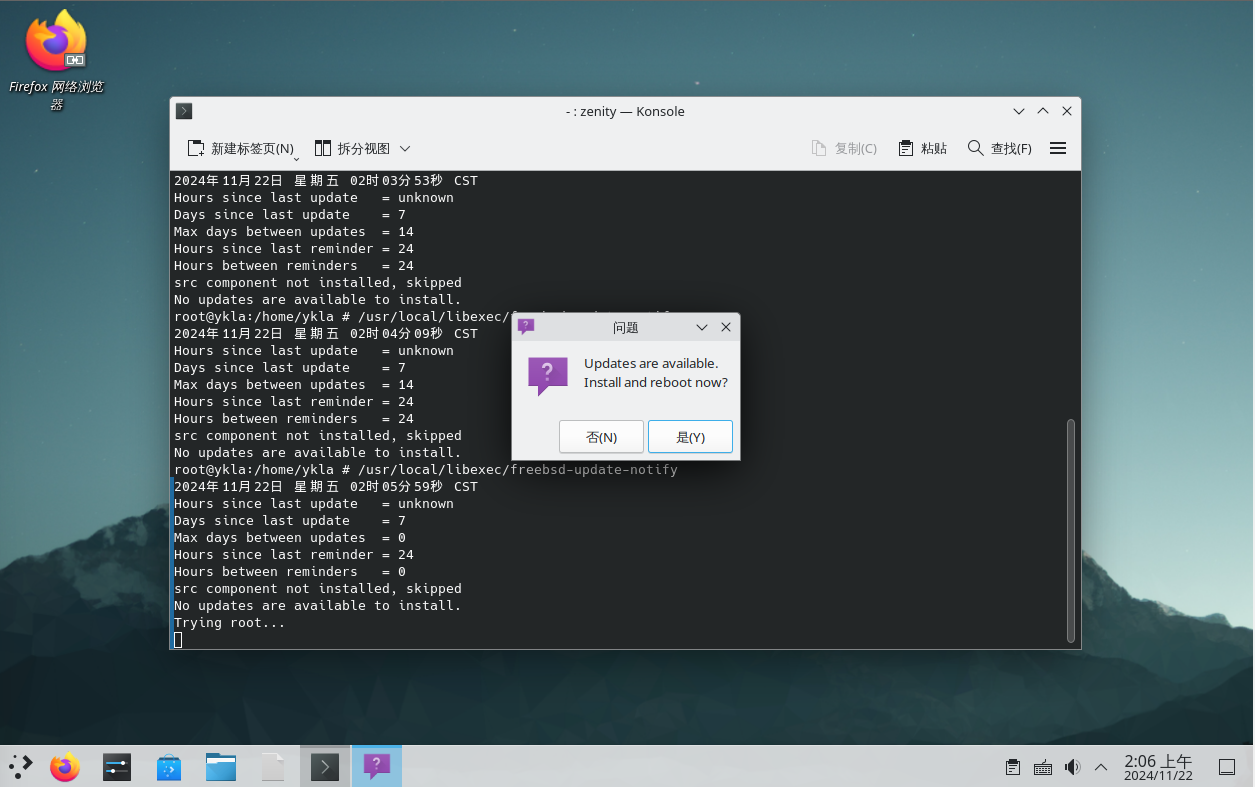
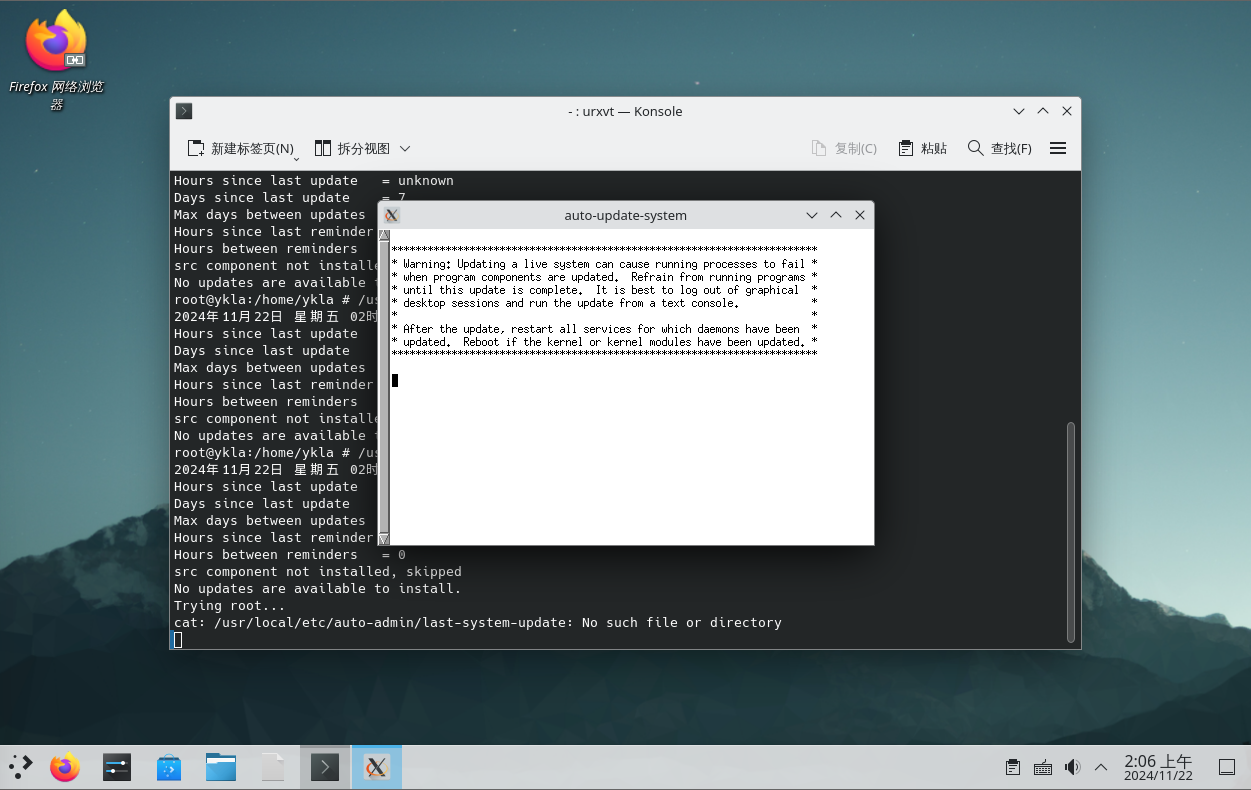
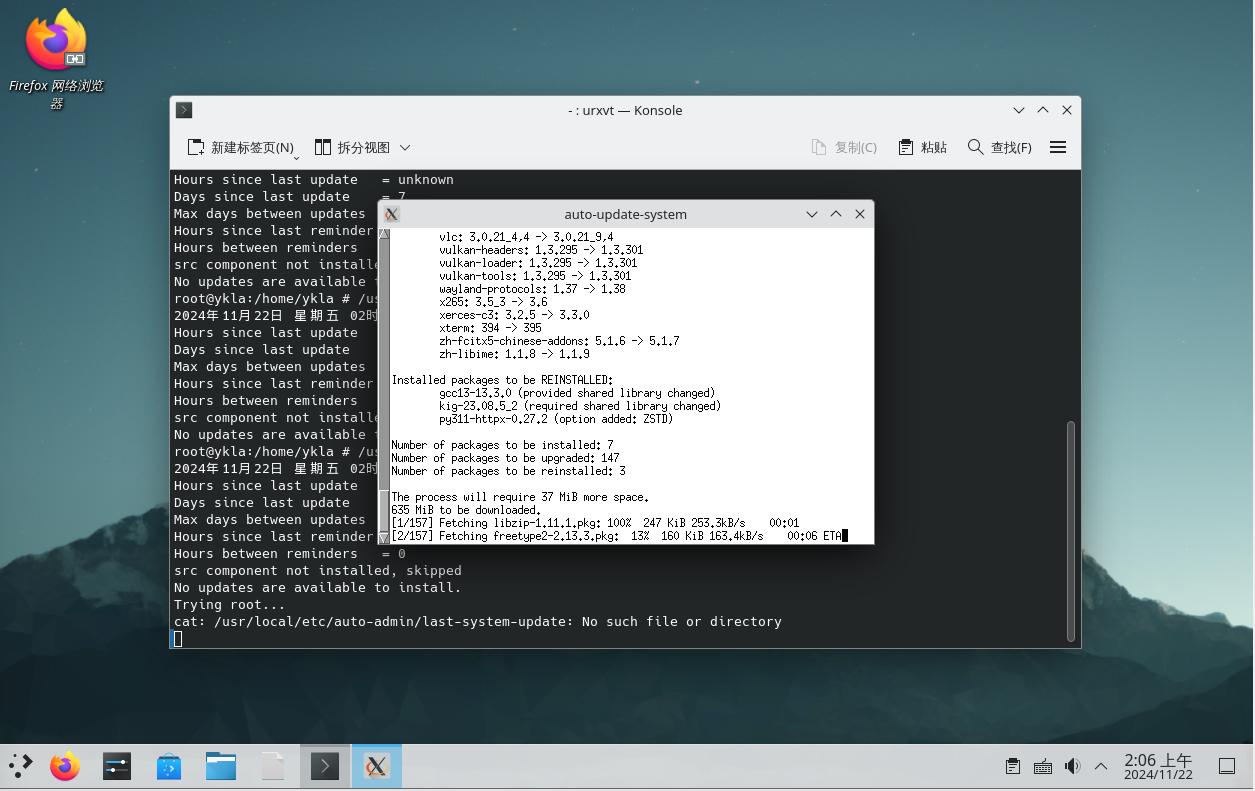
截图为手动执行示例,实际上程序可以在后台自动运行,无需手动验证。如果无法复现,可以将
freebsd-update-notify.conf中两个值都改为0,再手动以root权限执行 /usr/local/libexec/freebsd-update-notify。
freebsd-update-notify 的日志位于 /var/log/freebsd-update-cron 和 /var/log/freebsd-update-notify。如果要反馈故障,请使用英文提交至 issue。
5.4.4 课后习题
- 使用更优雅的方式进行系统更新提示。
- 尝试将更新提示功能合并入 pkg 源代码。
- 系统更新提示的“推送”模型隐含了维护者对用户系统的干预权。比较 FreeBSD freebsd-update 的主动拉取模型与 Windows Update 的静默推送模型在用户自主性与安全时效性的平衡策略,并分析何种模型更有利于维护用户的知情同意。