
24.4 PHP 8.x
PHP 8.x 引入 JIT 编译程序,其类型系统与安全机制均有显著改进。本节涵盖 pkg 安装、PHP-FPM 配置及与 Apache 和 MySQL 的协同方法。
24.4.1 安装 PHP
使用 pkg 包管理器安装:
# pkg install php84 php84-extensions mod_php84技巧
不同的 PHP 模块之间可能存在冲突,这会导致 Ports 编译失败,因此不建议启用全部 PHP 插件。推荐使用 pkg 安装,能够更好地处理模块间的依赖关系。
或者使用 Ports 方式安装 PHP:
# cd /usr/ports/lang/php84/ && make install clean
# cd /usr/ports/lang/php84-extensions/ && make install clean
# cd /usr/ports/www/mod_php84 && make install clean安装完成后,可通过以下命令显示已安装 PHP 的版本信息:
# php -v
PHP 8.4.4 (cli) (built: Feb 15 2025 01:05:08) (NTS)
Copyright (c) The PHP Group
Zend Engine v4.4.4, Copyright (c) Zend Technologies注意
数字
84可能会随 PHP 版本变化而不同。可使用以下命令查看当前可用的 PHP 版本后再进行安装。sh# pkg search -o lang/php # 在 FreeBSD Ports/Packages 中搜索以 lang/php 开头的包 lang/php-mode.el PHP mode for GNU Emacs lang/php81 PHP Scripting Language (8.1.X branch) lang/php81-extensions "meta-port" to install PHP extensions lang/php82 PHP Scripting Language (8.2.X branch) lang/php82-extensions "meta-port" to install PHP extensions lang/php83 PHP Scripting Language (8.3.X branch) lang/php83-extensions "meta-port" to install PHP extensions lang/php84 PHP Scripting Language (8.4.X branch) lang/php84-extensions "meta-port" to install PHP extensions (8.4.X branch)
24.4.2 配置 PHP 守护进程
安装完成后,需完成 PHP 基本配置,包括复制配置文件和启动 PHP-FPM(FastCGI 进程管理器)服务。
目录结构:
/usr/local/
├── etc/
│   ├── php.ini                    # PHP 主配置文件
│   ├── php.ini-production         # PHP 生产环境示例配置文件
│   ├── php-fpm.conf               # PHP-FPM 主配置文件
│   └── apache24/
│       └── Includes/
│           └── php.conf           # Apache 的 PHP 配置文件
└── www/
    ├── apache24/
    │   └── data/
    │       └── info.php           # PHP 信息测试文件(Apache)
    └── nginx/
└── info.php # PHP 信息测试文件(Nginx)PHP 的示例配置文件位于 /usr/local/etc/php.ini-production,该文件包含适合生产环境的推荐配置。
将生产环境的 PHP 配置文件复制为默认配置文件,并显示复制过程:
# cp -v /usr/local/etc/php.ini-production /usr/local/etc/php.ini
/usr/local/etc/php.ini-production -> /usr/local/etc/php.ini设置 PHP-FPM 服务开机自启:
# service php_fpm enable
php_fpm enabled in /etc/rc.conf启动 PHP-FPM 服务,使配置生效,启动前系统将自动检查配置文件的语法:
# service php_fpm start
Performing sanity check on php-fpm configuration:
[25-Feb-2025 20:28:32] NOTICE: configuration file /usr/local/etc/php-fpm.conf test is successful
Starting php_fpm.查看 PHP-FPM 服务当前状态,确认服务是否正常运行:
# service php_fpm status
php_fpm is running as pid 2592.查看安装后信息,了解 mod_php84 的配置说明:
# pkg info -D mod_php8424.4.2.1 参考文献
- ComputingForGeeks. Install PHP 8.0 on FreeBSD 13 / FreeBSD 12[EB/OL]. (2021-12-13)[2026-03-25]. https://computingforgeeks.com/how-to-install-php-8-on-freebsd-system/. 详细讲解了 FreeBSD 上 PHP 8 安装步骤及依赖处理。
- FreeBSD Project. PHP-FPM(8)[EB/OL]. [2026-03-25]. https://man.freebsd.org/cgi/man.cgi?query=php-fpm&sektion=8. 系统阐述了 PHP-FPM 进程管理机制及配置参数。
- FreeBSD Forums. Apache and PHP[EB/OL]. [2026-03-25]. https://forums.freebsd.org/threads/apache-and-php.80625/. 提供了 Apache 与 PHP 集成配置的实践经验,提示安装 mod_php84。
24.4.3 面向 Apache 的 PHP 配置文件
如果使用 Apache 作为 Web 服务器,需做相应配置,使 Apache 能够正确处理 PHP 文件。
编辑 /usr/local/etc/apache24/Includes/php.conf 文件,添加
<FilesMatch "\.php$">                           # 匹配以 .php 结尾的文件
    SetHandler application/x-httpd-php          # 将匹配文件交由 PHP 处理
</FilesMatch>
<FilesMatch "\.phps$">                          # 匹配以 .phps 结尾的文件
    SetHandler application/x-httpd-php-source   # 将匹配文件作为 PHP 源代码显示
</FilesMatch>编辑 /usr/local/www/apache24/data/info.php 文件,加入:
<?php
    phpinfo();
?>用于输出当前 PHP 的配置信息和运行环境。
重启服务:
# service php_fpm restart   # 重启 PHP-FPM 服务
# service apache24 restart # 重启 Apache 24 服务访问 ip/info.php,如 http://192.168.179.150/info.php:
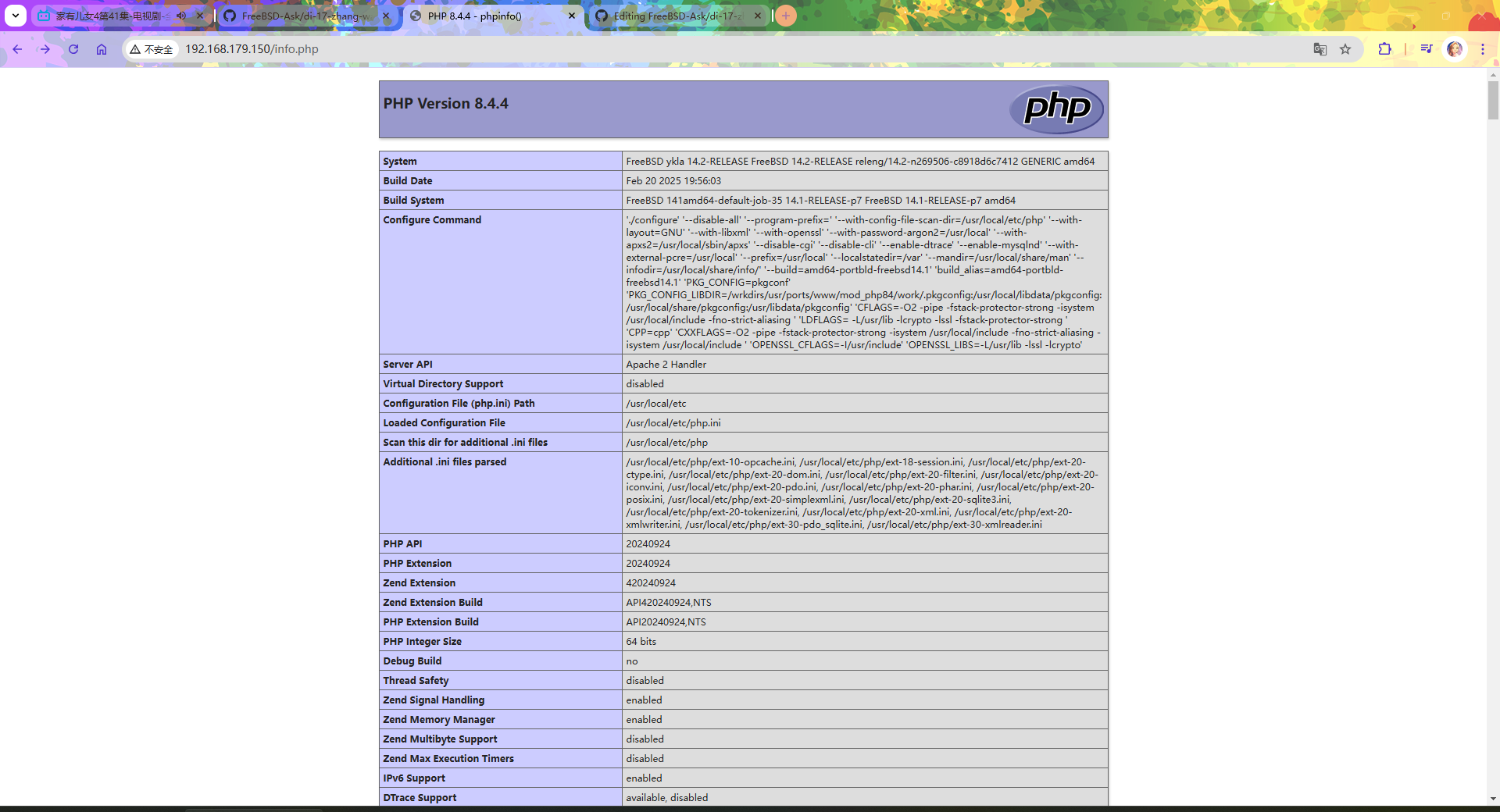
24.4.4 面向 Nginx 的 PHP 配置文件
如果使用 Nginx 作为 Web 服务器,同样需做相应配置,使 Nginx 能够通过 PHP-FPM 处理 PHP 文件。
编辑 /usr/local/etc/nginx/nginx.conf 文件,需要做相应修改:
删除以下行中的所有注释符号 #:
        #location ~ \.php$ {
        #    root           html;
        #    fastcgi_pass   127.0.0.1:9000;
        #    fastcgi_index  index.php;
        #    fastcgi_param  SCRIPT_FILENAME  /scripts$fastcgi_script_name;
        #    include        fastcgi_params;
#}修改如下:
location ~ \.php$ {                                 # 匹配 .php 文件请求
    root           /usr/local/www/nginx;           # 网站根目录,请根据实际路径修改
    fastcgi_pass   127.0.0.1:9000;                 # FastCGI 服务地址
    fastcgi_index  index.php;                       # 默认 FastCGI 索引文件
    fastcgi_param  SCRIPT_FILENAME  $document_root$fastcgi_script_name;  # PHP 脚本完整路径,其中 $document_root 表示网站根目录
    include        fastcgi_params;                 # 引入 FastCGI 参数文件
}编辑 /usr/local/www/nginx/info.php 文件,加入测试代码以显示 PHP 配置信息:
<?php
    phpinfo();
?>用于显示当前 PHP 的配置信息及运行环境。
重启服务,使配置更改生效:
# service php_fpm restart    # 重启 PHP-FPM 服务以应用配置更改
Performing sanity check on php-fpm configuration:
[25-Feb-2025 20:59:12] NOTICE: configuration file /usr/local/etc/php-fpm.conf test is successful
Starting php_fpm.
# service nginx restart    # 重启 Nginx 服务以应用配置更改
Performing sanity check on nginx configuration:
nginx: the configuration file /usr/local/etc/nginx/nginx.conf syntax is ok
nginx: configuration file /usr/local/etc/nginx/nginx.conf test is successful
Stopping nginx.
Waiting for PIDS: 1153.
Performing sanity check on nginx configuration:
nginx: the configuration file /usr/local/etc/nginx/nginx.conf syntax is ok
nginx: configuration file /usr/local/etc/nginx/nginx.conf test is successful
Starting nginx.访问 IP/info.php,如 http://192.168.179.150/info.php:
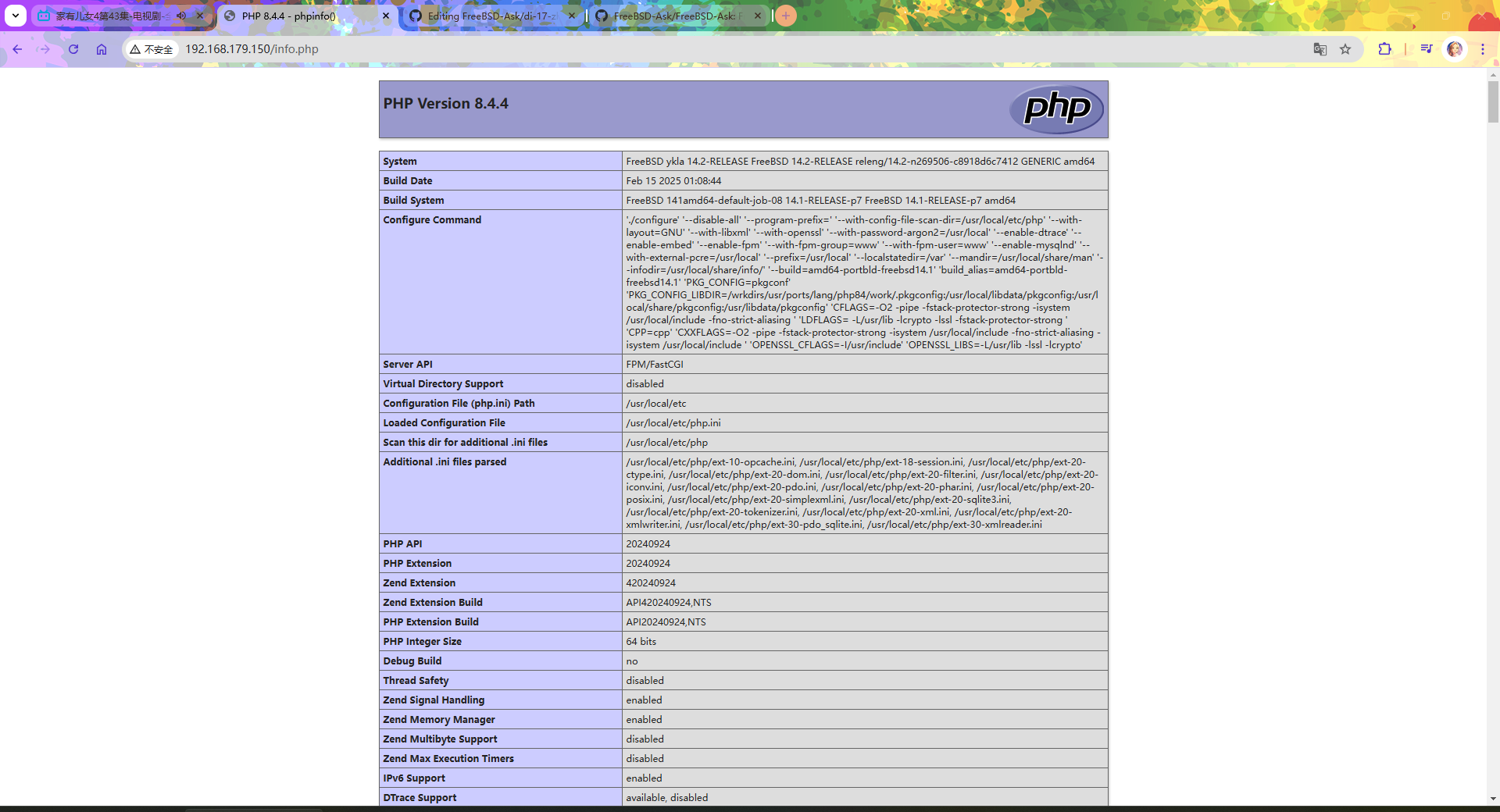
24.4.4.1 参考文献
- Vultr. How to Install PHP and PHP-FPM on FreeBSD 14.0[EB/OL]. (2025-04-01)[2026-03-25]. https://docs.vultr.com/how-to-install-php-and-php-fpm-on-freebsd-14-0. 本文曾主要参考此文,提供了 Nginx 与 PHP-FPM 集成的详细步骤。