
24.2 Nginx Web 服务器
Nginx 采用事件驱动异步架构与多进程单线程工作模式,以低内存消耗实现高并发。本节涵盖 pkg 安装与基础配置。
24.2.1 安装 Nginx
使用 pkg 包管理器安装 Nginx:
# pkg install nginx使用 Ports 方式安装 Nginx:
# cd /usr/ports/www/nginx/
# make install clean24.2.1.1 查找相关的软件包
除主程序外,系统还提供多个与 Nginx 相关的软件包,可通过以下方式检索。
使用 pkg 命令可快速检索与 Nginx 相关的软件包:
$ pkg search -o nginx在 Ports 目录中也可以查找与 Nginx 相关的软件包,此方式适合需查看源代码的场景:
$ ls /usr/ports/www/ | grep nginx24.2.2 守护进程
为确保 Nginx 在系统启动时自动运行,需先配置为开机自启服务,再手动启动服务测试。
设置 Nginx 服务在系统启动时自动启动:
# service nginx enable
nginx enabled in /etc/rc.conf启动 Nginx 服务,启动前系统将自动检查配置文件的语法:
# service nginx start
Performing sanity check on nginx configuration:
nginx: the configuration file /usr/local/etc/nginx/nginx.conf syntax is ok
nginx: configuration file /usr/local/etc/nginx/nginx.conf test is successful
Starting nginx.可通过以下命令查看 Nginx 正在监听的 IPv4 网络连接及端口,此方法可有效验证服务运行状态:
# sockstat -4 | grep nginx
www      nginx       1154 6   tcp4   *:80                  *:*
root nginx 1153 6 tcp4 *:80 *:*24.2.3 浏览网页
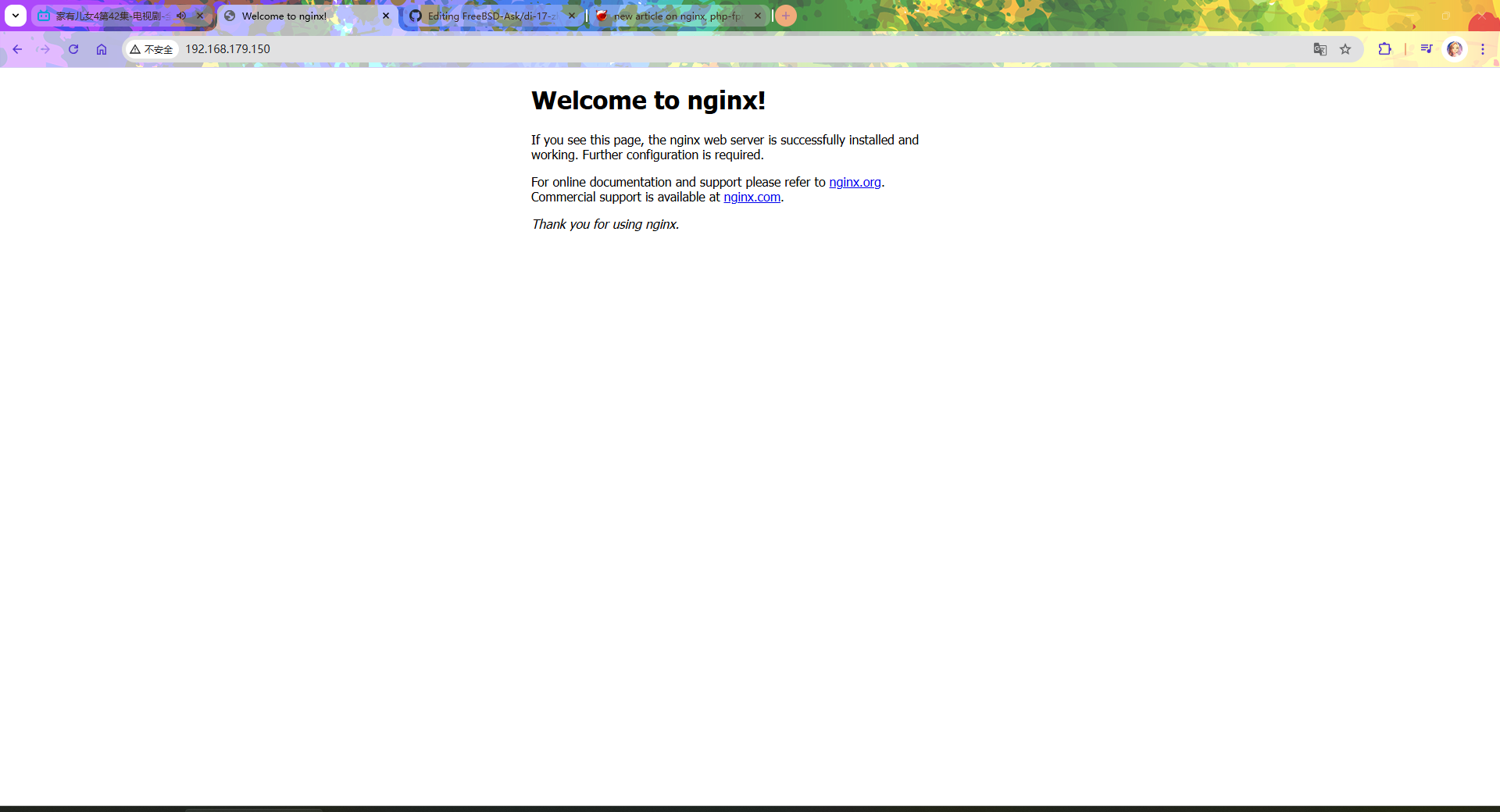
确认 Nginx 服务正常运行后,可通过浏览器访问,验证 Web 服务器是否工作正常。
在本机浏览器中打开 localhost,或使用服务器 IP 地址访问,例如 http://192.168.179.150/:
24.2.4 配置文件
Nginx 配置灵活,采用模块化结构设计,详细配置方法请参阅官方文档。本节仅简要说明在 FreeBSD 中如何启动 Nginx 及其配置文件位置与使用方法。
有关配置教程,请参阅 官方文档。
在 FreeBSD 中,Nginx 的配置文件位于 /usr/local/etc/nginx/ 目录下,主要配置文件为 /usr/local/etc/nginx/nginx.conf,该文件采用层次化的结构组织。
目录结构:
/usr/local/
├── etc/
│   └── nginx/
│       ├── nginx.conf          # Nginx 主配置文件
│       └── mime.types          # MIME 类型定义文件
└── www/
└── nginx/ # Nginx 站点根目录默认配置中,Nginx 的站点根目录为 /usr/local/www/nginx/。如需更改站点根目录,请在 /usr/local/etc/nginx/nginx.conf 文件中将
root /usr/local/www/nginx;修改为实际需要的目录路径,例如 root /path/to/new/webroot;,配置修改后需要重启服务才能生效。
24.2.4.1 示例配置文件(Nginx + Typecho 伪静态 + SSL)
为便于理解 Nginx 的配置,以下提供一个完整的示例配置文件,包含 Nginx、Typecho 伪静态规则以及 SSL 配置。
user  www;									 	# 指定 Nginx 运行用户(默认使用编译时设置)

worker_processes  auto;                          # 自动根据 CPU 核心数设置工作进程数(现代推荐)

# 错误日志路径(如需开启可取消注释)
#error_log  /var/log/nginx/error.log;

# 主进程 PID 文件
#pid        logs/nginx.pid;


events {                                         # events 模块配置开始
    worker_connections  10240;                   # 单个工作进程允许的最大连接数(提高并发能力)
}                                                # events 模块结束


http {                                           # http 模块配置开始
    include       mime.types;                    # 引入 MIME 类型定义文件
    default_type  application/octet-stream;      # 默认 MIME 类型

    sendfile on;                                 # 启用 sendfile 提高文件传输效率
    tcp_nopush on;                               # 优化数据包发送(配合 sendfile)
    tcp_nodelay on;                              # 减少延迟(小包立即发送)

    keepalive_timeout 65;                        # keepalive 超时时间(秒)
    types_hash_max_size 2048;                    # MIME 类型哈希表大小优化

    server_tokens off;                           # 隐藏 Nginx 版本号(安全)


    # ========================
    # HTTP 虚拟主机
    # ========================
    server {
        listen 80;                               # 监听 80 端口
        server_name localhost;                   # 虚拟主机名

        root /usr/local/www/nginx;               # 网站根目录
        index index.php index.html;              # 默认首页文件顺序(优先 PHP)

        location / {                             # 根路径匹配
            try_files $uri $uri/ /index.php?$query_string; # 替代 if + rewrite
        }

        location ~ \.php$ {                      # 匹配 PHP 请求(更精确)
            include fastcgi_params;              # 引入 FastCGI 参数
            fastcgi_pass 127.0.0.1:9000;         # FastCGI 服务地址(PHP-FPM)

            fastcgi_param SCRIPT_FILENAME $document_root$fastcgi_script_name; # 正确的 PHP 脚本路径(关键优化)
            fastcgi_index index.php;             # 默认 FastCGI 索引文件
        }

        location ~ /\. {                         # 禁止访问隐藏文件(如 .htaccess)
            deny all;
        }

        error_page 500 502 503 504 /50x.html;    # 定义 5xx 错误页面
        location = /50x.html {                   # 精确匹配错误页面
            root /usr/local/www/nginx-dist;      # 错误页面目录
        }
    }


    # ========================
    # HTTPS 虚拟主机
    # ========================
    server {
        listen 443 ssl;                          # 启用 HTTPS
        http2 on;                                 # 启用 HTTP/2(Nginx 1.25.1+ 推荐写法)
        # 旧写法 listen 443 ssl http2 已弃用,参见 Nginx. Module ngx_http_v2_module[EB/OL]. [2026-04-16]. <https://nginx.org/en/docs/http/ngx_http_v2_module.html>
        server_name localhost;                   # 虚拟主机名

        root /usr/local/www/nginx-dist;          # HTTPS 网站根目录
        index index.php index.html;              # 默认首页文件

        ssl_certificate     /usr/local/etc/nginx/fbxs.crt; # SSL 证书路径
        ssl_certificate_key /usr/local/etc/nginx/fbxs.key; # SSL 私钥路径

        ssl_protocols TLSv1.2 TLSv1.3;           # 启用现代 TLS 协议
        ssl_ciphers HIGH:!aNULL:!MD5;            # 使用安全加密套件(避免过时算法)

        ssl_session_timeout 1d;                  # SSL 会话缓存时间
        ssl_session_cache shared:SSL:10m;        # 共享 SSL 会话缓存

        # 基础安全头(现代 Web 推荐)
        add_header X-Frame-Options SAMEORIGIN;   # 防止被嵌入 iframe(点击劫持)
        add_header X-Content-Type-Options nosniff; # 禁止 MIME 嗅探
        add_header X-XSS-Protection "1; mode=block"; # 浏览器 XSS 防护

        # 可选:启用 HSTS(强制 HTTPS)
        #add_header Strict-Transport-Security "max-age=31536000" always;

        location / {                             # 根路径匹配
            try_files $uri $uri/ /index.php?$query_string; # 统一入口(现代框架推荐)
        }

        location ~ \.php$ {                      # HTTPS 下 PHP 处理
            include fastcgi_params;              # 引入 FastCGI 参数
            fastcgi_pass 127.0.0.1:9000;         # FastCGI 服务地址

            fastcgi_param SCRIPT_FILENAME $document_root$fastcgi_script_name; # 正确脚本路径
            fastcgi_index index.php;             # 默认索引文件
        }

        location ~ /\. {                         # 禁止访问隐藏文件
            deny all;
        }
    }

} # http 模块结束24.2.5 参考文献
- FreeBSD Project. nginx -- HTTP and reverse proxy server, mail proxy server[EB/OL]. [2026-04-14]. https://man.freebsd.org/cgi/man.cgi?query=nginx&sektion=8. Nginx 服务器手册页,描述启动选项与信号处理。
- Nginx, Inc. Nginx Documentation[EB/OL]. [2026-04-14]. https://nginx.org/en/docs/. Nginx 官方文档,涵盖配置指令、模块与性能调优。