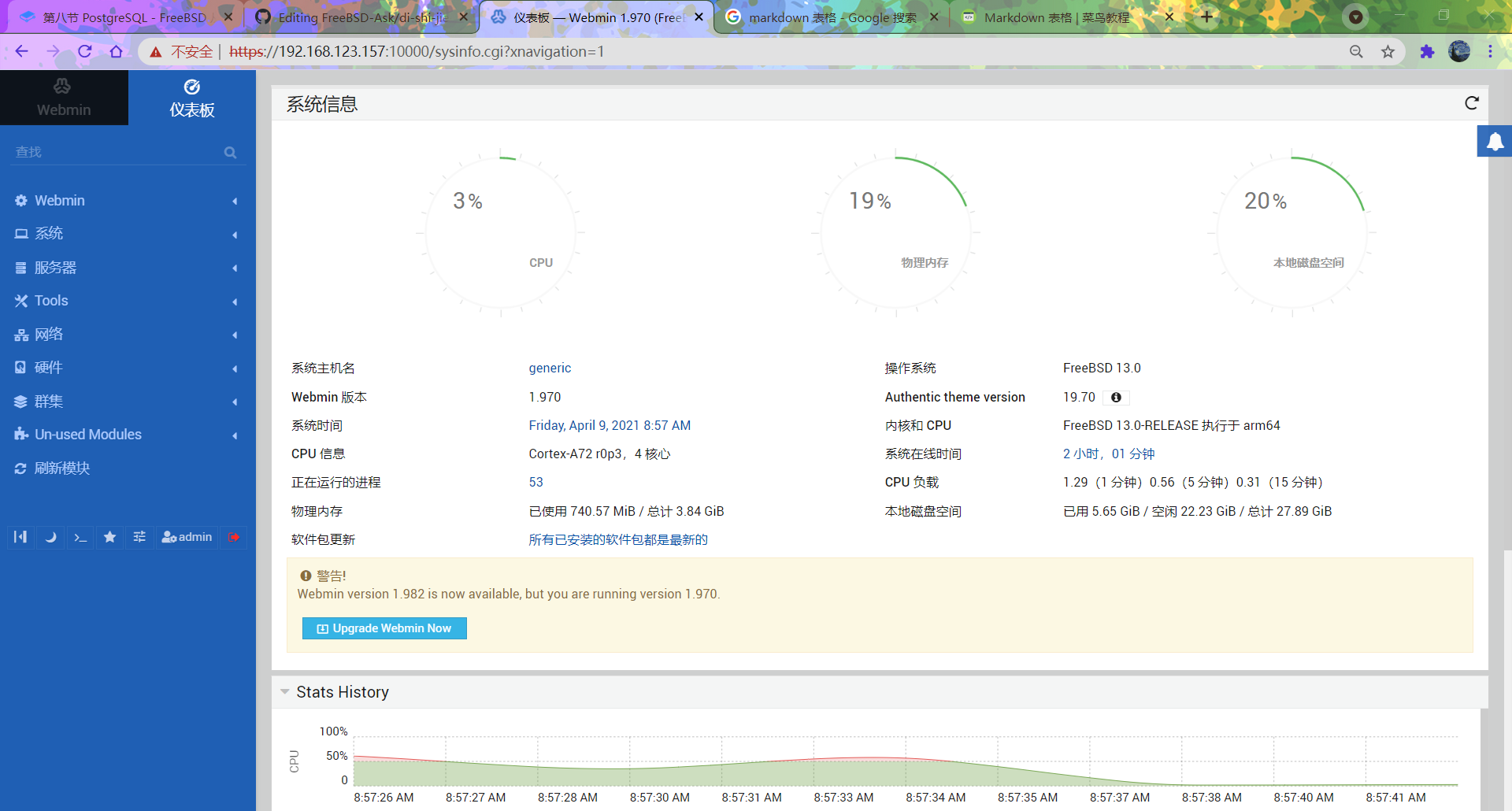
23.5 Webmin 管理平台
23.5.1 Webmin 概述
Webmin 是基于 Web 的系统管理工具,支持 FreeBSD、Linux、Solaris 等类 Unix 操作系统,提供图形化管理界面。
Webmin 采用模块化设计,可用于管理用户账户、磁盘配额、服务配置、网络设置等系统管理任务。
23.5.2 安装 Webmin 管理平台
使用 pkg 安装:
sh
# pkg install webmin或使用 Ports 安装:
sh
# cd /usr/ports/sysutils/webmin/
# make install clean查看安装信息:
sh
# pkg info -D webmin23.5.3 目录结构
sh
/
├── usr
│   └── local
│       ├── lib
│       │   └── webmin
│       │       └── setup.sh        # Webmin 配置脚本
│       ├── etc
│       │   └── webmin               # Webmin 配置文件目录
│       └── bin
│           └── perl                 # Perl 解释程序
└── var
    └── db
└── webmin # Webmin 日志文件目录23.5.4 Webmin 配置向导
安装完成后,需运行配置向导完成初始设置并启用 SSL。
/usr/local/lib/webmin/setup.sh 为 Webmin 安装目录下的安装脚本,用于配置和初始化 Webmin 服务。
sh
# /usr/local/lib/webmin/setup.sh
***********************************************************************
        Welcome to the Webmin setup script, version 2.013
***********************************************************************
Webmin is a web-based interface that allows Unix-like operating
systems and common Unix services to be easily administered.

Installing Webmin in /usr/local/lib/webmin

***********************************************************************
Webmin uses separate directories for configuration files and log files.
Unless you want to run multiple versions of Webmin at the same time
you can just accept the defaults.

Config file directory [/usr/local/etc/webmin]: # 配置文件目录
Log file directory [/var/db/webmin]: # 日志文件目录

***********************************************************************
Webmin is written entirely in Perl. Please enter the full path to the
Perl 5 interpreter on your system.

Full path to perl (default /usr/local/bin/perl): # Perl 解释程序路径

Testing Perl ..
.. done

***********************************************************************
Operating system name:    FreeBSD
Operating system version: 14.2

***********************************************************************
Webmin uses its own password protected web server to provide access
to the administration programs. The setup script needs to know :
 - What port to run the web server on. There must not be another
   web server already using this port.
 - The login name required to access the web server.
 - The password required to access the web server.
 - If the web server should use SSL (if your system supports it).
 - Whether to start webmin at boot time.

Web server port (default 10000): # Web 服务器端口号
Login name (default admin): # 登录用户名,直接回车则使用默认 admin
Login password: # 输入密码,密码无回显也不会显示为 ****,即输入时无任何显示,下同
Password again: # 再次确认密码
Use SSL (y/n): y # 是否使用 SSL(https)

***********************************************************************
Creating web server config files ..
.. done

Creating access control file ..
.. done

Creating start and stop init scripts ..
.. done

Creating start and stop init symlinks to scripts ..
.. done

Copying config files ..
.. done

Changing ownership and permissions ..
.. done

Running postinstall scripts ..
.. done

Enabling background status collection ..
.. done23.5.5 服务管理
配置向导运行完成后,可通过服务命令管理 Webmin。
设置开机自启 Webmin 服务:
sh
# service webmin enable启动 Webmin 服务:
sh
# service webmin start23.5.6 设置中文环境
通过 Webmin 界面,可将控制台设置为中文显示。在 Webmin 中依次进入 Change Language and Theme,在 Webmin UI language 字段中选择 Personal choice,然后选择 Simplified Chinese (ZH_CN.UTF8),点击 Make Changes 按钮。返回菜单 → Dashboard 后,控制台界面将切换为中文。
为便于使用,可勾选旁边的“包括机器翻译”选项。
23.5.7 使用 Webmin
在浏览器中输入 https://localhost:10000 访问本机。从其他机器访问时,输入对应 IP 地址,例如 https://192.168.123.157:10000。
按回车键后,如浏览器提示不安全,选择“继续前往”,随后将显示 Webmin 登录界面。
此界面为 Webmin 管理控制台。在文本框中输入 admin 用户名及密码,点击 Sign In 登录进入控制台。