
12.2 Godot 开源游戏引擎
12.2.1 概述
Godot 是一款开源 2D/3D 游戏引擎。FreeBSD 通过 Ports 提供 Godot-tools(编辑器)和 Godot(运行时)两个软件包。
12.2.2 安装 Godot
使用 pkg 安装:
sh
# pkg install godot-tools godot或者使用 Ports 安装:
sh
# cd /usr/ports/devel/godot-tools/ && make install clean
# cd /usr/ports/devel/godot/ && make install clean12.2.3 使用 Godot
本节介绍 Godot 引擎的基本使用方法与性能优化技巧。
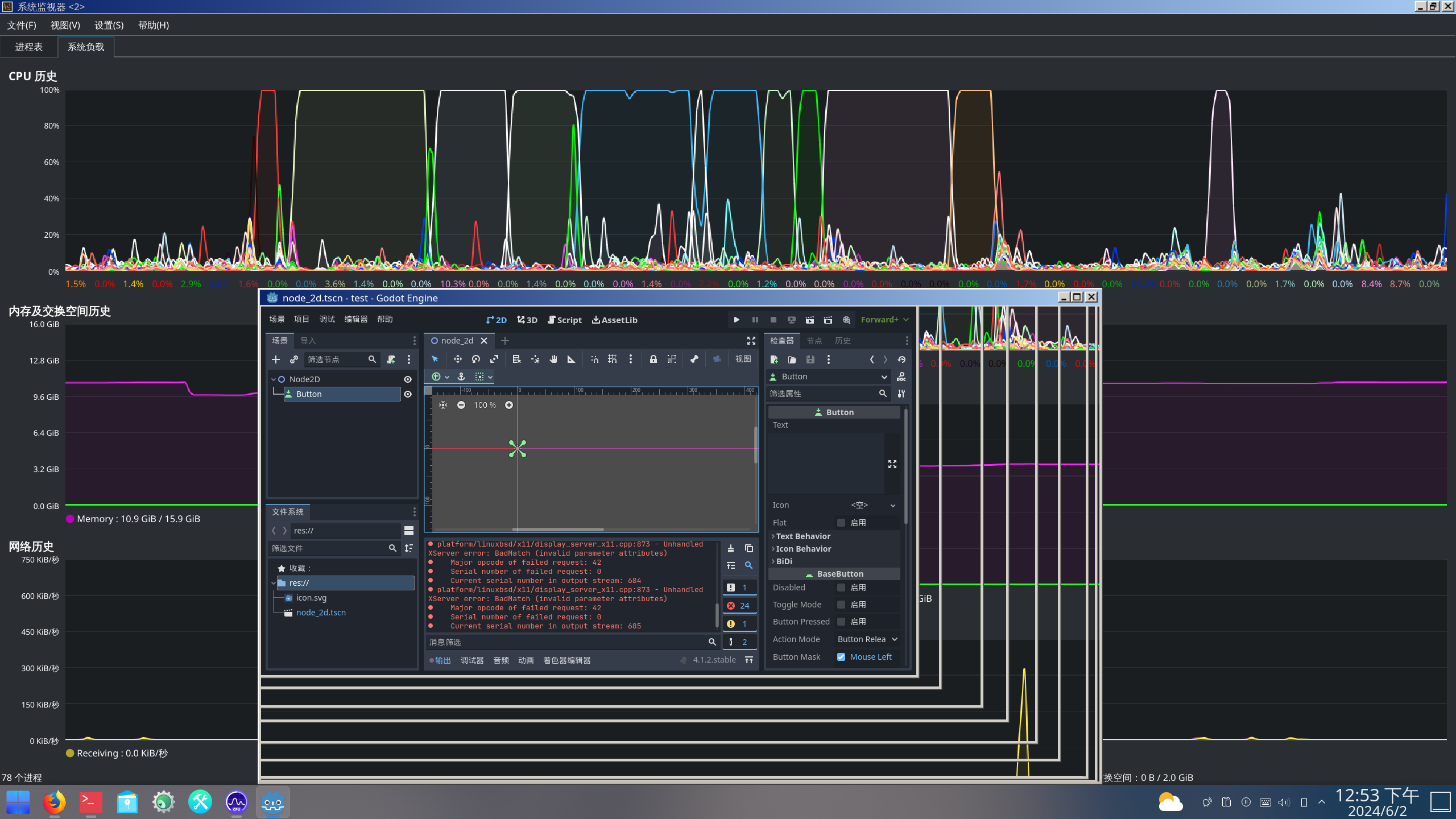
安装完成后新建项目并进入编辑器,界面响应有延迟且 CPU 占用率较高。FreeBSD 默认配置下,Godot 依赖 CPU 软件光栅化渲染,且仅使用单个线程,性能开销较大。
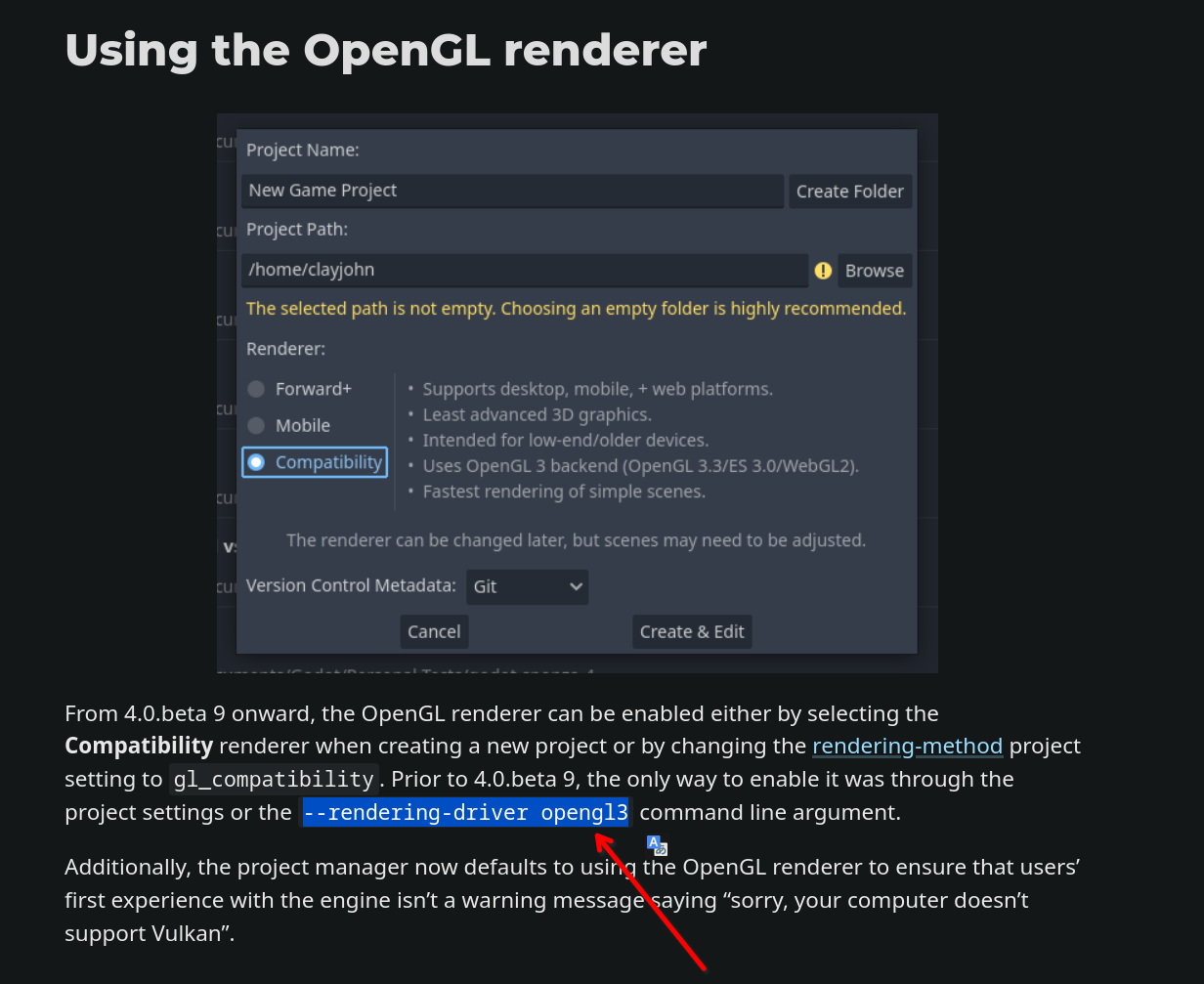
此时需为 godot-tools 添加启动参数,以启用硬件加速渲染。OpenGL 3 驱动可启用 GPU 硬件加速。
使用 OpenGL 3 渲染驱动启动 Godot 工具:
sh
$ godot-tools --rendering-driver opengl3打开项目并进入 Godot 编辑器后,缩放 Godot 窗口时 CPU 占用率没有明显变化,表明渲染工作已由 GPU 处理。
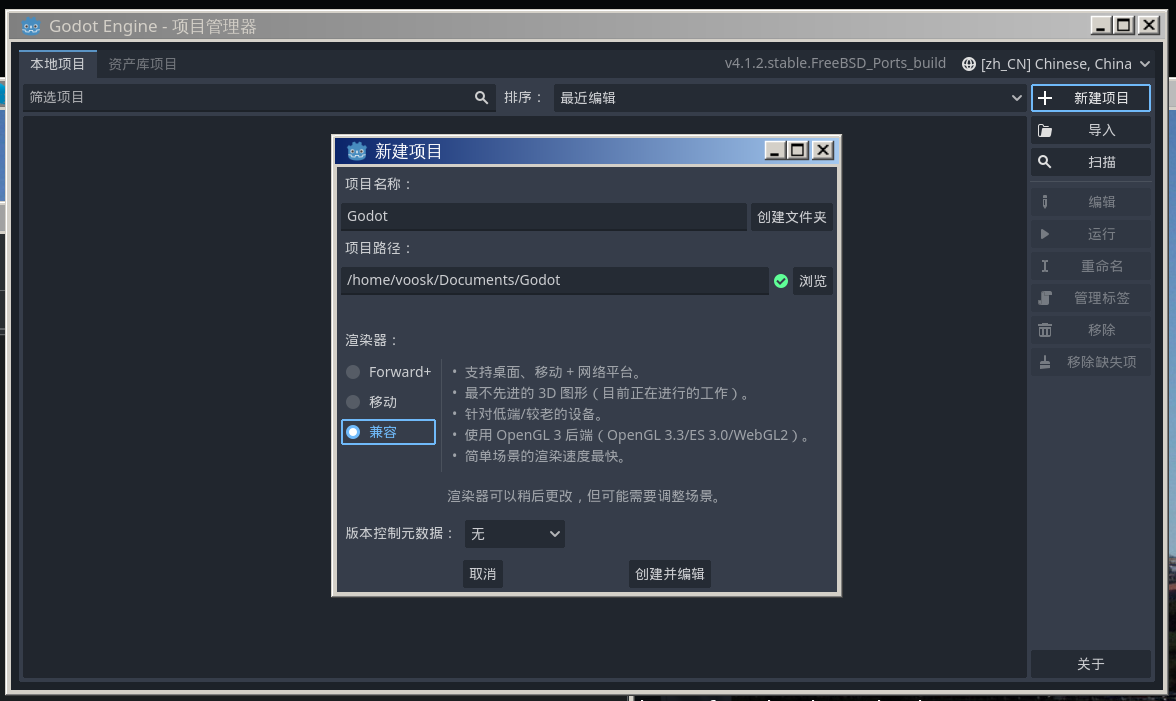
此外,还需注意项目的创建方式。如果遇到上述卡顿问题并使用了 OpenGL 参数,在创建项目时应选择“兼容”,而非 Forward+ 或“移动”。Forward+ 和“移动”模式使用 RenderingDevice(一种更现代的渲染抽象层),其特性与兼容性要求可在创建窗口的说明中查看。只有“兼容”模式使用 OpenGL 3 后端。
12.2.4 参考文献
- Godot Engine. Godot documentation — Rendering drivers[EB/OL]. [2026-04-17]. https://docs.godotengine.org/en/stable/tutorials/rendering/renderers.html. Godot 4.x 渲染驱动说明,兼容模式使用 OpenGL 3 后端,Forward+ 和移动模式使用 Vulkan 后端。